When you click on links to various merchants on this site and make a purchase, this can result in this site earning a commission. Affiliate programs and affiliations include, but are not limited to, the eBay Partner Network. When you click on links to various merchants on this site and make a purchase, this can result in this site earning a commission. Affiliate programs and affiliations include, but are not limited to, the eBay Partner Network.
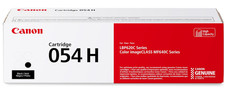
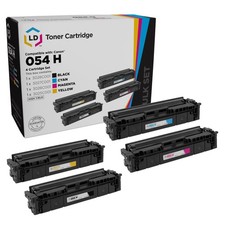
054H High Capacity Toner Cartridge Set (4-Pack,B/C/M/Y), other, 4 Pack Product Details - Package Contents: 4 Pack CRG-054H Color Toner Cartridge
- High Page Yield: Up to 3,100 pages for black and up to 2,300 pages for color (at 5% coverage, A4), delivering consistent and reliable performance for all your printing needs
- Compatible Printer Models: Color imageCLASS MF640C MF641Cw MF642Cdw MF643Cdw MF644Cdw MF645Cx LBP621Cw LBP622Cdw LBP623Cdw Printer
- Crisp & Clear Output: Experience sharp text and crisp prints from the very first page to the last, with professional-quality color and black output perfect for all your documents, forms, and business needs.
- Kienul 054H toner cartridges are built with premium materials and strict quality control to ensure reliable performance and long-lasting results. Every print is sharp, consistent, and professional, just the way it should be
Product Model054H Toner Cartridge.Compatible ModelsColor ImageCLASS MF640CColor ImageCLASS MF641CwColor ImageCLASS MF642CdwColor ImageCLASS MF643CdwColor ImageCLASS MF644CdwColor ImageCLASS MF645CxColor ImageCLASS LBP621CwColor ImageCLASS LBP622CdwColor ImageCLASS LBP623CdwProfessional print resultsWhether you're printing contracts, reports, or schoolwork, Kienul toner delivers sharp lines,solid fills, and clean text, page after page. Expect crisp, professional results with every print.High quality materials, quality assuranceMade with premium toner powder and high-quality components, cartridges deliver smoothoperation and consistent output from start to finish.Installation Instructions1.Pull the front cover toward you to access the toner cartridge compartment.2.Grasp the handle of the used toner cartridge and gently pull it out. Place it on a piece ofpaper or in a bag to avoid toner spill.3.Remove all packaging materials from the new toner cartridge, including plastic wrap andfoam pieces.4.Locate the orange or red sealing tape and pull it straight out. This tape keeps toner fromleaking during shipping.5. Align the cartridge with the guides inside the printer and slide it in until it clicks into place.6.Close the front cover and wait for recogniti. The printer may show a “non-genuinecartridge” message—this is normal. Proceed to use as usual.7.It’s recommended to print a test page to ensure the cartridge is installed correctly andprinting well.  |
|