 When you click on links to various merchants on this site and make a purchase, this can result in this site earning a commission. Affiliate programs and affiliations include, but are not limited to, the eBay Partner Network. When you click on links to various merchants on this site and make a purchase, this can result in this site earning a commission. Affiliate programs and affiliations include, but are not limited to, the eBay Partner Network.
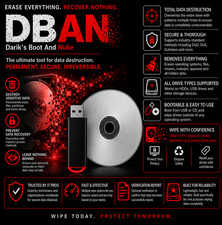
⚙️ DBAN Bootable USB Hard Drive Eraser Darik's Boot and Nuke — Securely Wipe & Sanitize Your Hard Drives Protect your privacy before selling, recycling, or donating your old computer! This premium, high-speed bootable USB drive comes pre-loaded with DBAN (Darik's Boot and Nuke), the industry-standard software for permanently erasing hard drives. It safely deletes all data on internal hard drives, making it completely unrecoverable by forensic data recovery tools. 🔥 Key Features & Benefits Complete Sanitization: Erases everything—Operating System (Windows/Linux/Mac), programs, personal files, browsing history, and hidden partitions. Plug & Play: Fully configured and ready to boot directly from your computer's USB slot. Bulk Erasure: Can wipe multiple internal hard drives simultaneously on a single machine.
📋 Product Specifications Software Version: DBAN Latest Stable Release USB Interface: USB 3.0 / 3.1 High-Speed (Backward compatible with USB 2.0) Drive Brand: Tier-1 High-Quality Brand (SanDisk, Kingston, Kioxia, or Samsung) Format Compatibility: Designed for standard IDE, SATA, and SCSI Hard Drives (HDD)
⚠️ Crucial Compatibility Notice (Please Read Before Buying) Hard Drives vs. SSDs: DBAN is designed strictly for traditional spinning magnetic hard drives (HDDs). It does NOT consistently detect or securely erase modern Solid State Drives (SSDs), NVMe M.2 drives, or newer PCIe storage chips. PC Boot Mode: DBAN runs on a legacy system base. To boot from this USB, you must change your computer's BIOS/UEFI settings to "Legacy Boot Mode" or enable "CSM (Compatibility Support Module)" and disable "Secure Boot". It will not boot under native UEFI-only modes.
🚀 How To Use It Turn off your target computer and insert the DBAN USB drive. Turn the computer on and immediately press your system's Boot Menu key (Common keys: F12, F11, F8, F9, or Esc depending on your motherboard brand). Select the USB flash drive from the boot list. Once the blue DBAN screen loads, follow the on-screen prompts to select the specific drive you wish to wipe.
 |
|