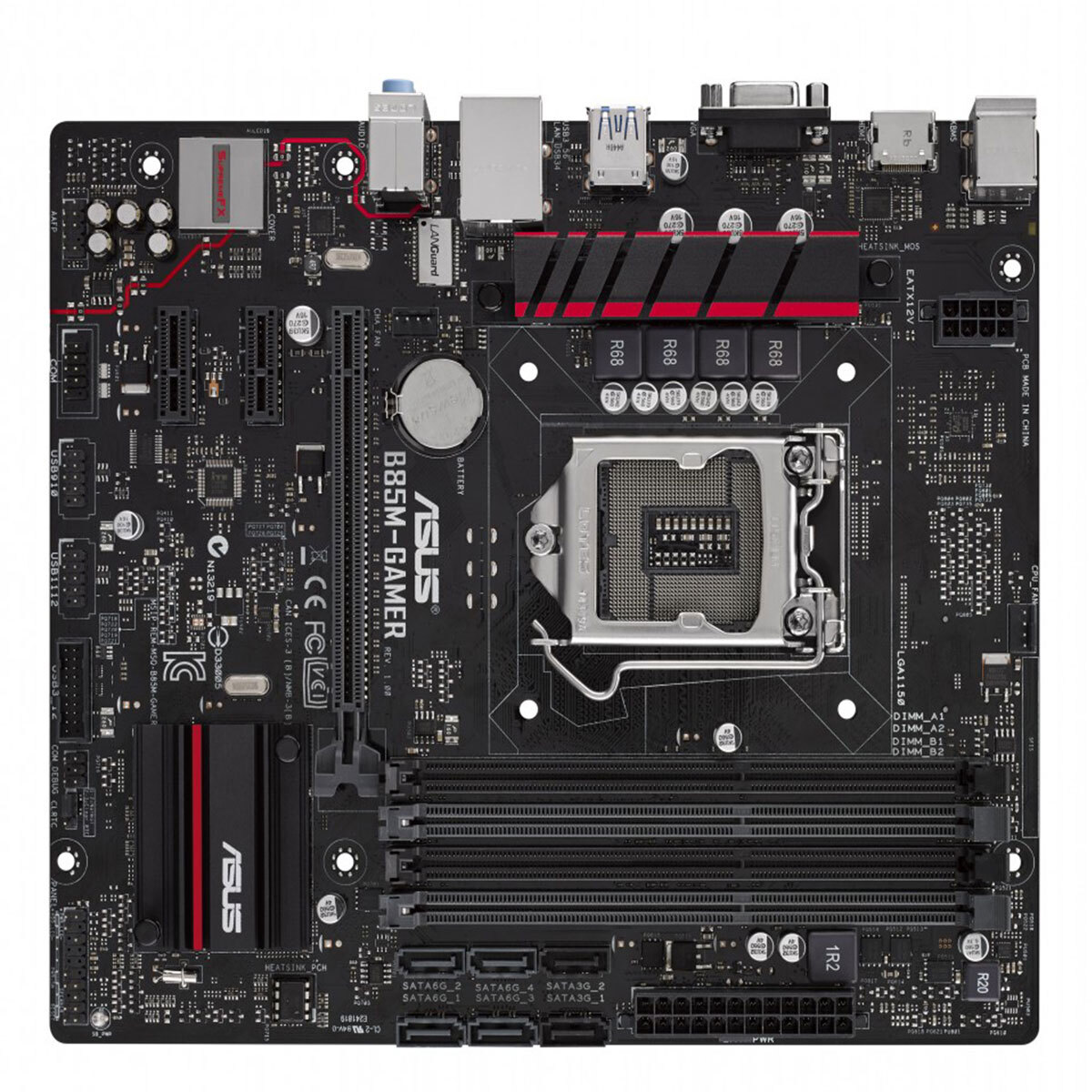
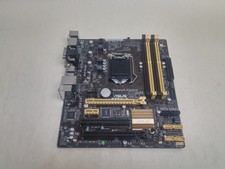
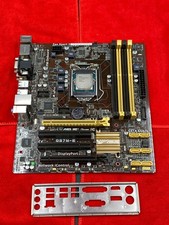
Condition: 90% New & 100% Working & 100% Tested. Only Board and I/O Shield are included. Don't Include the CMOS battery and Other Parts.
This motherboard model is ASUS B85M-Gamer;
The quality is original second-hand goods.(Used product 90%-80% new)
But it is working well, we will finish 100% testing before shipping.
Packing include one motherboard and one metal baffle without a CMOS battery, did not have another part.
Please make sure you buy the right board to ensure 100% compatibility with your other SPECIFICATIONS CPU Intel Socket 1150 for the New 4th/4th Generation Core i7/Core i5/Core i3/Celeron Processors * Refer to[link removed by ]for CPU support list Chipset Intel B85 Memory 4 x DIMM, Max. 32GB, DDR3 1600/1333/1066 MHz Non-ECC, Un-buffered Memory Dual Channel Memory Architecture Supports Intel Extreme Memory Profile (XMP) * Hyper DIMM support is subject to the physical characteristics of individual CPUs. * Refer to[link removed by ]for the Memory QVL (Qualified Vendors Lists). * Due to Intel chipset limitation, DDR3 1600 MHz and higher memory modules on XMP mode will run at the maximum transfer rate of DDR3 1600 Mhz. Graphic Integrated Graphics Processor- Intel HD Graphics support Multi-VGA output support : HDMI/RGB ports - Supports HDMI with max. resolution 4096 x 2160 @ 24 Hz / 2560 x 1600 @ 60 Hz - Supports RGB with max. resolution 1920 x 1200 @ 60 Hz Maximum shared memory of 1024 MB Supports Intel InTru 3D, Quick Sync Video, Clear Video HD Technology, Insider Expansion Slots 1 x PCIe 3.0/2.0 x16 2 x PCIe 2.0 x1 Storage Intel B85 chipset : 4 x SATA 6Gb/s port(s), gray 2 x SATA 3Gb/s port(s), black, Supports Intel Rapid Start Technology, Intel Smart Connect Technology *1 LAN Intel, 1 x Gigabit LAN Controller(s) Anti-surge LANGuard Audio SupremeFX 8-Channel High Definition Audio CODEC *2 - Supports : Jack-detection, Multi-streaming, Front Panel Jack-retasking - High quality 115 dB SNR stereo playback output Audio Feature : - SupremeFX Shielding Technology - ELNA premium audio capacitors USB Ports Intel B85 chipset : 4 x USB 3.0/2.0 port(s) (2 at back panel, blue, 2 at mid-board) Intel B85 chipset : 6 x USB 2.0/1.1 port(s) (2 at back panel, , 4 at mid-board) Special Features Gamer's Guardian: - ESD Guards on LAN, Audio, KBMS and USB3.0/2.0 ports - DRAM Overcurrent Protection - Stainless Steel Back I/O - DIGI+ VRM ASUS Exclusive Features : - AI Suite 3 - Ai Charger - ASUS UEFI BIOS EZ Mode featuring friendly graphics user interface - USB 3.0 Boost - Disk Unlocker ASUS Quiet Thermal Solution : - ASUS Fan Xpert ASUS EZ DIY : - ASUS CrashFree BIOS 3 - ASUS EZ Flash 2 Operating System Support Windows 8.1 Windows 8 Windows 7 Back I/O Ports 1 x PS/2 keyboard (purple) 1 x PS/2 mouse (green) 1 x D-Sub 1 x HDMI 1 x LAN (RJ45) port(s) 2 x USB 3.0 2 x USB 2.0 1 x 8-channel Audio I/O Internal I/O Ports 1 x AAFP connector 1 x USB 3.0 connector(s) support(s) additional 2 USB 3.0 port(s) (19-pin) 2 x USB 2.0 connector(s) support(s) additional 4 USB 2.0 port(s) 1 x COM port(s) connector(s) 4 x SATA 6Gb/s connector(s) 2 x SATA 3Gb/s connector(s) 1 x CPU Fan connector(s) (1 x 4 -pin) 1 x Chassis Fan connector(s) (1 x 4 -pin) 1 x 24-pin EATX Power connector(s) 1 x 8-pin ATX 12V Power connector(s) 1 x System panel(s) 1 x Clear CMOS jumper(s) Accessories User's manual I/O Shield 2 x SATA 6Gb/s cable(s) BIOS 64 Mb Flash ROM, UEFI AMI BIOS, PnP, DMI2.0, WfM2.0, SM BIOS 2.7, ACPI 4.0a, Multi-language BIOS,ASUS EZ Flash 2, ASUS CrashFree BIOS 3, My Favorites, Quick Note, Last Modified log, F12 PrintScreen, F3 Shortcut functions, and ASUS DRAM SPD (Serial Presence Detect) memory information Manageability WfM 2.0, DMI 2.0, WOL by PME, PXE Support Disc Drivers ASUS Utilities EZ Update Anti-virus software (OEM version) Form Factor mATX Form Factor 9.2 inch x 8.1 inch ( 23.3 cm x 20.6 cm ) Note *1: These functions will work depending on the CPU installed *2: Use a chassis with HD audio module in the front panel to support an 8-channel audio output to do after getting on the board:
1. set up CPU & RAM. Power on to test if the screen works well.
2. Installed fan, battery, keyboard, sound card, and network card to turn on to check if the bios number is correct.
3. Music playing to check audio and earphone plug ok.
4. See if the battery can normally charge and discharge.
5. Then the touchpad, USB slots, and all lights.
6. Run 3D mark
7. Restart the Windows.
We have always been doing our best to provide the best service and reliable products for every customer. Please contact us to resolve the issue before leaving negative response
If you have any questions, please feel free to contact me. You will get great service and fast shipping when you buy our