Description
Specification
ŸSupport existing CAT-5 UTP cabling with automatic crossover detection
ŸSingle-lane(x1)PCI-Express End-point controller with PHY integrated
ŸCompliant with PCI Express 2.0 Gen1
ŸCompliant with PCI Express M.2 Specification version1.0
ŸCompliant with PCI Power Management 1.2
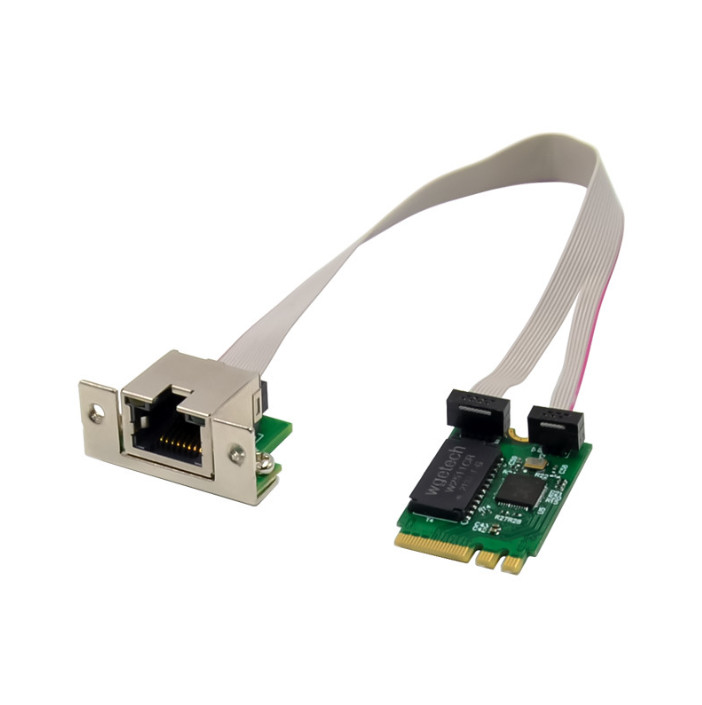
ŸConnector type: A+EKEY, size:22*30mm
ŸIntegrated 10M BASE-Te and 100/1000M/2.5G base-T 802.3 compatible transceiver
ŸSupports 2.5G and 1G Lite mode
ŸAuto-Negotiation with Extended Next Page capability(XNP)
ŸSupport PCI Express Specification Revision 2.1
ŸSupports pair swap/polarity/skew correction
ŸCrossover Detection& Auto-Correction
ŸSupports 1-Lane 2.5/5Gbps PCI Express Bus
ŸSupports hardware ECC(Error correction code)function
ŸSupports hardware CRC(Cyclic Redundancy Check)function
ŸSupports PCI MSI (Message Signaled Interrupt)and MSI-X
ŸTransmit/Receive on-chip buffer support
ŸSupports ECMA-393 ProxZzzy Standard for sleeping hosts
ŸWake-On-LAN and ‘RealWow!’Technology (remote wake-up)supports
ŸCompatible with IEEE802.3,IEEE802.3u,IEEE802.3ab
ŸSupports IEEE1588v1,IEEE1588v2,IEEE80.2AS time synchronization
ŸSupports IEEE802.1Qav credit-based shaper algorithm
ŸSupports IEEE802.1P Layer 2 Priority encoding
ŸSupports IEEE802.1Q VLAN tagging
ŸSupports IEEE802.1ad Double VLAN
ŸSupports IEEE802.3az (Energy Efficient Ethernet)
ŸSupports IEEE802.3bz(2.5GBase-T)
ŸSupports full duplex flow control(IEEE802.3x)
ŸSupports jumbo frame to 16K bytes
ŸSupports Virtual Machine Queue(VMQ)
ŸSupports quad core Receive –Side Scaling(RSS)
ŸSupports Protocol Offload (ARP&NS)
ŸDrivers for Vista/Win7/ Sever2008/Win8/Sever2012/Win10/Win11 /Linux, DOS
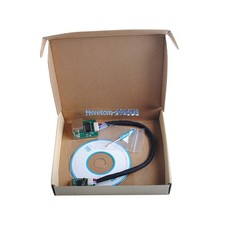
Ÿ1 x M.2 A+ERTL8125B 2.5G Ethernet card
Ÿ1 x User’s Manual
Ÿ1 x CD
Ÿ1 x Low profile bracket
lLinux class="17" level1 lfo3;">lOne available MiniPCIEslot
1.Turn off the computer and unplug the power cord
2.Remove the computer cover and the adapter slot cover from the slot that matches your adapter
3.Insert the adapter edge connector into the slot and secure the bracket to the chassis
4.Replace the computer cover ,then plug in the power cord
5.Power on the computer
1. Please insert the CD driver bound into your CD-ROM Drive.
2. Double-click to open the CD-ROM drive and find the driver corresponding to the system.
3.1 For Windows® Win7,Server 2008R2(32/64 bit)
3.2 For Windows® Win8,Win8.1Server2012(32/64 bit)
3.3 For Windows® Win10 (32/64 bit)
3.4For Windows® Win11 (32/64 bit)
4. Follow the on-screen instructions to complete the installation.
More information and settings, please refer to the Adapter User Guides or you can contact us.