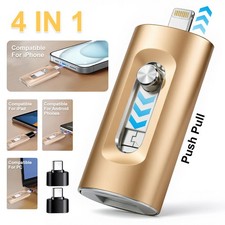
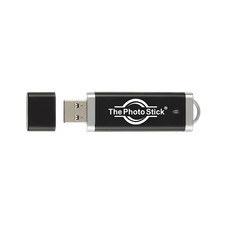
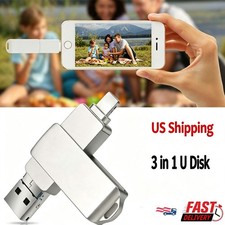
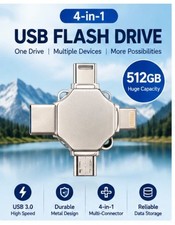
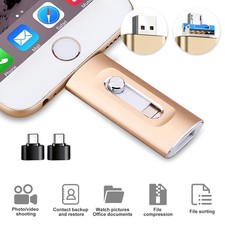
The Photo Backup Stick is a versatile USB 3.0 flash drive with a storage capacity of 128GB, designed for easy backup and storage of pictures and videos on computers, laptops, iOS, and Mac devices. The green-colored stick features a USB 3.0 interface, allowing for fast data transfer speeds. With compatibility for both USB and USB-C interfaces, this tool is a convenient solution for keeping your photos and videos safe and secure.
Key Features:
- 128GB photo backup USB drive – securely store and transfer photos, videos, and files from your computer.
- No internet or software required – plug-and-play backup tool runs directly from the USB stick.
- Unlimited backups – use on multiple computers and devices until storage capacity is full.
- Works with Windows & Mac – compatible with laptops, desktops, and tablets for easy file management.
- Smart duplicate removal – automatically avoids saving duplicate photos to maximize storage space.
- Backup photos from phones & tablets via computer connection for centralized storage.
- Fast and reliable data backup – protect your memories from accidental loss or device failure.
- Portable and easy to use – compact design for convenient storage and on-the-go backups.
- All-in-one photo storage solution – ideal for organizing, transferring, and securing digital files.
Product DescriptionBack Up Your Photos from Computers and Phones
Back Up from Windows & Mac Computers
Plug your Photo Backup Stick into your Windows or Mac computer, run the backup app, and it will scan and find all your photos.
Back Up Directly from Android Phones (Adapter Not Included)
Plug your Photo Backup Stick directly into your Android Phone or Tablet using a USB adapter (not included). run the app, and it will back up all your photos directly to the stick.
Back Up iPhones by Connecting them to A Computer
Back up iPhones and iPads by plugging them into the same computer as your Photo Backup Stick and using the computer app to backup from your phone to the stick.
Photo Backup Stick is a powerful picture and video backup and storage tool. It contains special software to back up from Windows and Mac computers and laptops. It can also plug directly into Android devices to back up photos from your phone to the USB storage drive. You can also back up iPhones and iPads by plugging your device into the same computer as the Photo Backup Stick. Keep your pictures safe without the need for expensive and complicated cloud services.
To backup photos and videos from your computer, plug the stick into the computer and run the backup app. You can back up from the default locations or select to scan the entire computer or specific drives or folders. You can also connect phones and tablets to the computer and back them up at the same time. The Windows app allows you to remove duplicates even if they were backed up from other devices. It also allows you to easily copy your backed-up files to a computer or drive. Chose to keep your photos organized in the same folder structure they are on your computer or have them saved to one single folder on the stick.
To backup from USB drives, thumb drives, SD cards, or other mass storage device, connect the drive or storage to your computer and run the Photo Backup Stick app. Choose to backup from other locations and select the drive or folder you want to backup from and start your backup. To back up from Android devices, plug the Photo Backup Stick into your Android phone with one of the adapters included with the stick and run the backup app. To back up from iPhones and iPads, connect your device to your computer and run the Photo Backup Stick app. Select to backup from the attached device and start your backup.
The Photo Backup Stick works on Windows 7, 8, or 10 as well as Mac OS 10.12 or newer. It works for any Android device that supports OTG drives. For Apple iOS, you must connect the devices to a computer using a data cable and use the Windows or Mac app to backup.
- Windows Computer Backups – Scans Windows computers and drives as well as phones and tablets connected to computers and backs them up to the stick.
- Mac Computer Backups – Scans Apple computers and drives as well as phones and tablets connected to computers and backs them up to the stick.
- iPhone, iPad, & iPod Touch Backups – Backup from iPhones & iPads by plugging them into a Windows or Mac computer and run the backup app from the stick.
- Android Phone & Tablet Backups – Backup from Androids by plugging them into a Windows or Mac computer and run the backup app from the stick.
- Removes Duplicates – Each photo & video will only be backed up once. It will only backup new photos each time you do a backup. The Windows and Mac apps also allow you to remove duplicates in the event you had multiple copies on different devices.
- Backup Your Backup – The Windows and Mac apps allow you to copy your backup to another computer or drive at the push of a button.
- Convert HEIC to JPEG - Converts Apple HEIC images to standard JPEG image format.
No Duplicates!
Eliminates exact duplicates two ways. First, it will only backup photos or videos once. New backups only backs up new photos. Second, the "Remove Duplicates" button finds exact duplicates across all backups and removes the duplicates.
Keeps Photos Organized
You can choose to keep your photos organized exactly as they are on your computer or you can choose to put all photos in one single folder. This can be handy if your photos are spread out and not organized on your computer.
No Monthly Fees
Cloud storage fees can add up over the years. With the Photo Backup Stick, not only can you eliminate expensive cloud accounts, you can free up space on your devices after you've backed up your photos and videos.
Product Support
We offer product support. We also have detailed tutorial videos so you can get the most out of your Photo Backup Stick Universal.