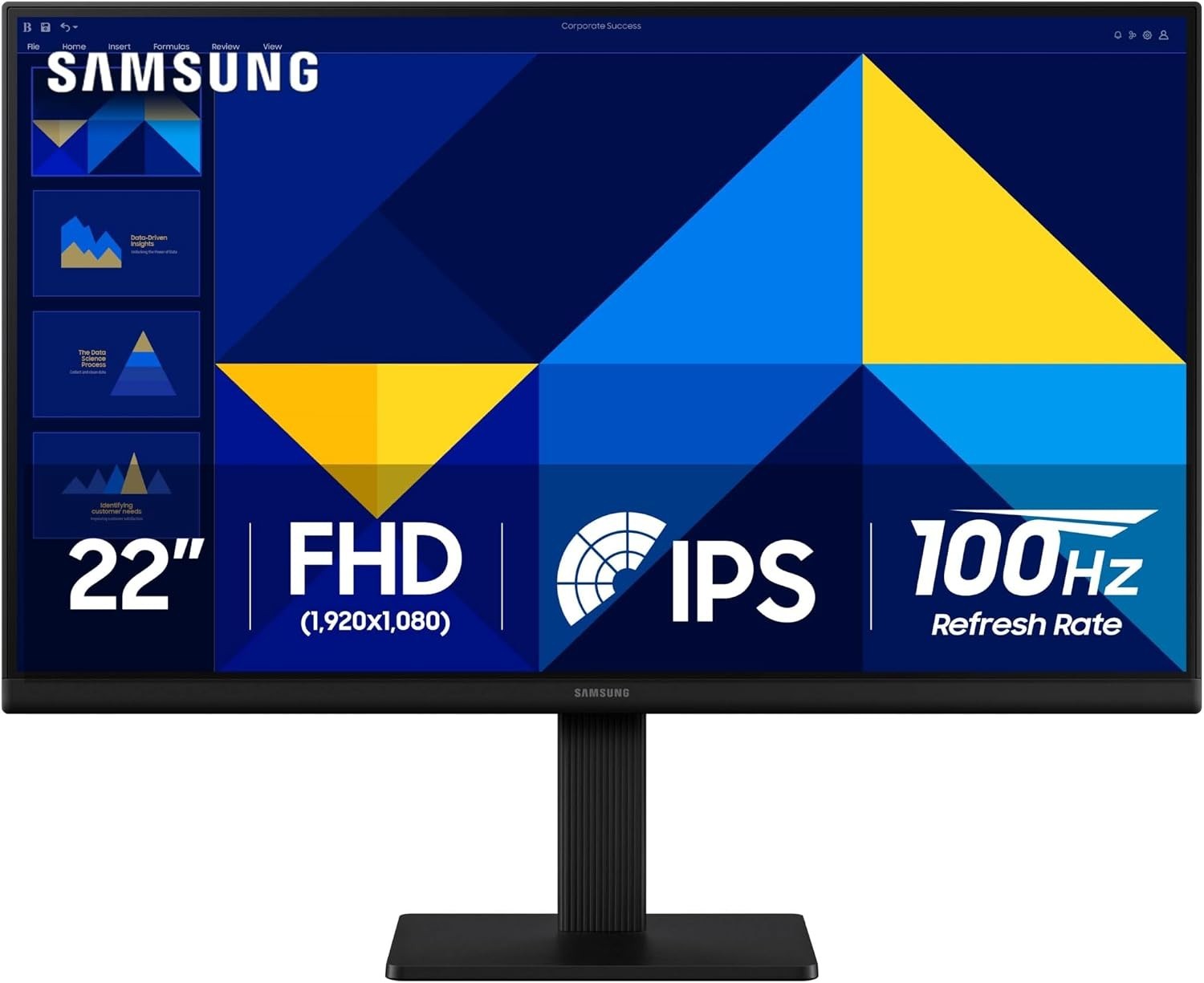
Upgrade your workspace with the Samsung 22-inch S30GD Essential Monitor, designed for everyday computing, entertainment, and gaming. Featuring an IPS panel and Full HD 1080p resolution, this monitor delivers clear images and consistent color across the display. Its slim profile and modern design make it a practical addition to a home office, study area, or desktop setup.
The 100Hz refresh rate helps provide smoother motion when browsing, watching videos, and playing games. IPS technology supports bright, consistent colors across different viewing angles, while Game Mode lets you adjust image settings for a more suitable gaming experience. Eye-comfort features are designed to reduce blue light and screen flicker during extended viewing sessions.
With its 16:9 widescreen format, slim bezels, and tilt-only stand, the Samsung S30GD is suitable for everyday productivity and entertainment. Use it with a compatible desktop computer, laptop, or other supported device to create a comfortable viewing setup for work, study, and leisure.
✨ Why You'll Love It
- Samsung S30GD Essential Monitor with a 22-inch display.
- Full HD 1080p resolution for clear, detailed images.
- IPS panel for consistent color across the screen.
- 100Hz refresh rate for smoother on-screen motion.
- Game Mode with adjustable image and contrast settings.
- Eye-comfort features designed to reduce blue light and screen flicker.
- Slim design with ultra-thin border bezels.
- Tilt-only stand for adjusting the viewing angle.
- Glossy screen surface.
- 16:9 widescreen aspect ratio for everyday computing and entertainment.
🔹 Features & Benefits
22-Inch Full HD Display
The 22-inch screen provides a practical viewing area for everyday computer tasks, documents, browsing, video playback, and general entertainment. Full HD 1080p resolution delivers clear picture detail for daily use.
IPS Panel Technology
The IPS panel helps maintain bright, consistent colors when viewing the screen from different angles. This makes it useful for everyday work, watching videos, and sharing screen content.
100Hz Refresh Rate
The 100Hz refresh rate supports smoother movement across the display compared with lower refresh rates. It can help reduce perceived motion blur when watching videos, scrolling, or playing compatible games.
Game Mode
Game Mode provides adjustable image and contrast settings to help make details in game scenes easier to see. It offers additional flexibility for users who switch between everyday computing and gaming.
Eye-Comfort Features
The monitor includes features designed to reduce blue light and screen flicker. These features are intended to support a more comfortable viewing experience during longer sessions.
Slim, Modern Design
The super-slim design and ultra-thin border bezels give the monitor a clean appearance that fits into a variety of desktop environments.
Tilt-Only Stand
The included stand supports tilt adjustment so you can angle the display to suit your desk and preferred viewing position. The stand is described as tilt-only; height adjustment, swivel, and pivot functions are not specified.
📏 Specifications
- Brand: Samsung
- Product Line: Essential Monitor
- Model Series: S30GD
- Screen Size: 22 inches
- Display Resolution: Full HD 1080p
- Panel Type: IPS
- Refresh Rate: 100Hz
- Aspect Ratio: 16:9
- Screen Surface: Glossy
- Stand Type: Tilt-only stand
- Gaming Feature: Game Mode
- Eye-Comfort Features: Blue light reduction and flicker reduction
- Design: Slim profile with ultra-thin border bezels
🎯 Best Use
This monitor is suitable for:
- Everyday desktop computing.
- Office and administrative tasks.
- Online research and web browsing.
- Document preparation and spreadsheets.
- Watching videos and general entertainment.
- Casual gaming and compatible gaming setups.
- Online learning and remote work.
🏠 Where To Use
- Home office desks.
- Workplace and office workstations.
- Student study areas.
- Desktop computer setups.
- Shared workspaces.
- Home entertainment and gaming desks.
👤 Suitable For
- Students who need a dedicated desktop display.
- Home users browsing the internet and managing everyday tasks.
- Office users working with documents and applications.
- Users who watch videos or enjoy casual gaming.
- Anyone looking for a compact widescreen monitor with an IPS panel.
🛠️ Setup & Positioning
- Place the monitor on a stable, level desk or workstation.
- Position the stand securely according to the product's supplied instructions.
- Connect the monitor to a compatible computer or supported device using the appropriate connection.
- Adjust the screen tilt to achieve a comfortable viewing angle.
- Configure the computer's display settings for a supported resolution and refresh rate.
- Adjust available picture settings to suit your viewing preferences.
🧼 Care Instructions
- Clean the screen gently with a soft microfiber cloth.
- Avoid applying cleaning liquids directly to the display.
- Keep liquids and food away from the monitor and its connections.
- Do not press firmly against the screen surface.
- Keep the monitor in a dry, well-ventilated area.
- Avoid placing heavy objects on the monitor or stand.
- Disconnect power before cleaning the monitor.
⚠️ Important Information
- The monitor is specified as a 22-inch S30GD model with an IPS panel and Full HD resolution.
- The listed refresh rate is 100Hz. The refresh rate available in use can depend on the connected device, connection, and display settings.
- The stand supports tilt adjustment only. Additional stand adjustments are not specified.
- Exact port types, cable inclusions, built-in speakers, mounting compatibility, and package contents have not been confirmed and are therefore not claimed.
- Use compatible connection cables and devices when setting up the monitor.
👶 Child Safety Notice
This electronic display is not a toy. Keep power cables and connection accessories away from young children, place the monitor on a stable surface, and ensure the stand is properly positioned to reduce the risk of tipping. Keep liquids away from the screen and electrical connections, and supervise children when they use the monitor.