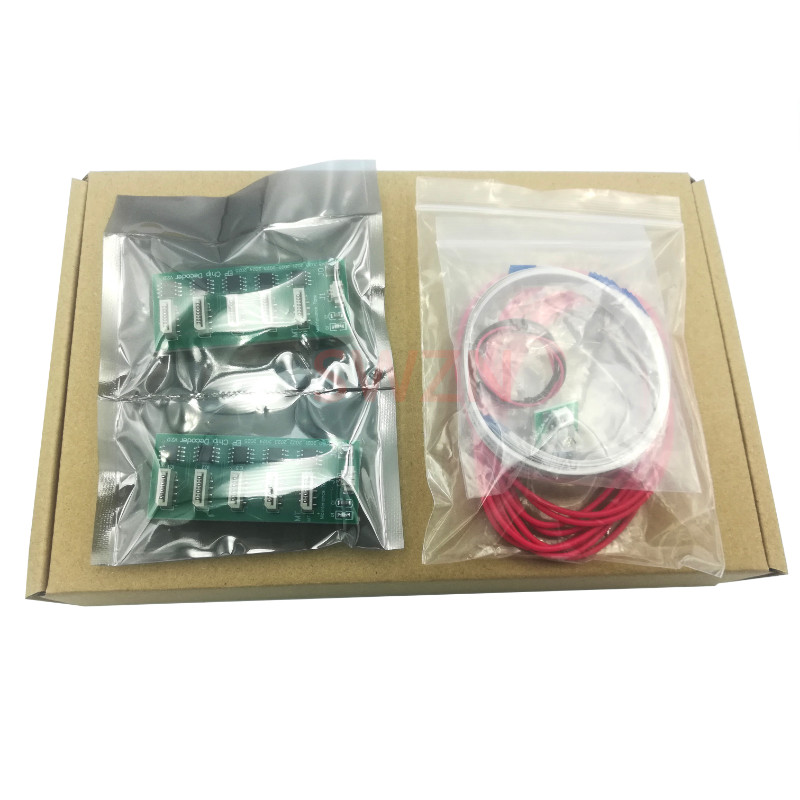
Auto Reset Chip Decoder Board For Epson 4880 7880 9880 7450 9450 4450 4400 7400 9400 4800 7800 9800Chip Resetter Decryption Card
A、 First acquaintance with decryption card:
1. Open the packing box, there is a decryption card for A and B, two wide transfer lines, and eight narrow transfer lines.2. Use strong double-sided adhesive to paste it to the back of A and B decryption cards, so that the decryption cards can be fixed to the appropriate position of the printer.3. Please plug all the adapter cables. Note that the blue end of the plug is plugged into the decryption card, and the wide adapter cable is plugged into the upper socketB、 Installation process:
1. First install the decryption card B, remove the left end cover of the printer, remove the protective film on the back of the decryption card B, and paste it as close to the small board on the left side of the printer as possible.2. Unplug the FPC flat cable on the small board on the left side of the printer, and plug the other end of the decryption card B into the corresponding socket on the small board on the right side of the printer. Note that the blue side is facing up.
J9--CN1 BOX1—CN6 BOX2—CN7 BOX3—CN8 BOX4—CN93. Plug the FPC plug unplugged from the original CN1 on the left side of the printer into the J10 socket on the decryption card B. Pay attention to the direction of the plug! The blue side of the plug is different from the J9 plug, which faces each other.4. Restore the dust cover after inserting it.5. Then install decryption card A, remove the end cover on the right side of the printer, remove the protective film on the back of decryption card A, and paste it as close as possible to the small board on the right side of the printer.6. Unplug the FPC flat cable on the small board on the right side of the printer, and plug the other end of the decryption card A into the corresponding socket on the small board on the right side of the printer. Note that the blue side faces upward.
J9--CN1 BOX1—CN6 BOX2—CN7 BOX3—CN8 BOX4—CN97. Plug the FPC plug unplugged from the original CN1 on the small board on the right side of the printer into the J10 socket on the decryption card A. Pay attention to the direction of the plug! The blue side of the plug is different from the J9 plug, which faces each other.8. Turn on the power and turn on the machine. When all the ink cartridges are full of ink and the machine is recognized, turn off the power, install the left and right end covers, and it can be used normally.