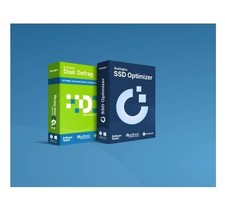
What Can Auslogics Disk Defrag Ultimate Do for My PC?Auslogics Disk Defrag Ultimate is a professional disk defragmenter, perfect for advanced users. It provides smart optimization techniques to defragment your drives efficiently. Here are the key features:
Smart Disk Defrag AlgorithmsThe program sports 4 algorithms for intelligent file placement, which are sure to cover whatever specific optimization need you might have. Use the Optimize by Access Time method when you want to have faster access to frequently used files. In order to speed up your system loading and application startup, use the Optimize by Prefetch Layout algorithm. If you just want to reduce further file fragmentation, then choose Optimize by Change Time. And finally, the Optimize by Disk Zone algorithm allows you to manually specify which file types or even individual files should be written to the faster part of the disk.
Algorithm for SSD DrivesDisk Defrag Ultimate detects whether your system drive is an SSD and applies a special SSD optimization algorithm instead of defragmentation. This greatly reduces the number of write operations, prevents excessive wear, and helps extend the disk’s lifespan. If you prefer not to include your SSD in defrags or optimization, you can set the SSD not to be displayed in the list of drives at all.Boot-Time Disk DefragBoot-time or offline defragmentation lets you defrag even the system files that are normally locked by Windows. Offline defrag runs on system startup, before the operating system loads, and allows you to streamline the following system files: MFT files, the paging file, the hibernation file, and Windows registry files. Defragmenting system files will make your Windows more responsive and speed up system loading and overall performance.Defragmentation WizardWith so many disk optimization algorithms and defrag options available, how do you choose the right one for your PC? Thanks to Defragmentation Wizard, it’s a matter of just a few simple clicks. All you have to do is specify what purpose you mostly use your computer for (home, office, gaming, or as a server), how often you work with various types of documents, and when your PC is on but not in use. This information will help the program suggest optimization algorithms that will work to achieve optimal disk and system performance.The program sports 4 algorithms for intelligent file placement, which are sure to cover whatever specific optimization need you might have. Use the Optimize by Access Time method when you want to have faster access to frequently used files. In order to speed up your system loading and application startup, use the Optimize by Prefetch Layout algorithm. If you just want to reduce further file fragmentation, then choose Optimize by Change Time. And finally, the Optimize by Disk Zone algorithm allows you to manually specify which file types or even individual files should be written to the faster part of the disk.
Get your own free counter at Auctiva
Try Auctiva free for 30 days, no credit card required