 When you click on links to various merchants on this site and make a purchase, this can result in this site earning a commission. Affiliate programs and affiliations include, but are not limited to, the eBay Partner Network. When you click on links to various merchants on this site and make a purchase, this can result in this site earning a commission. Affiliate programs and affiliations include, but are not limited to, the eBay Partner Network.
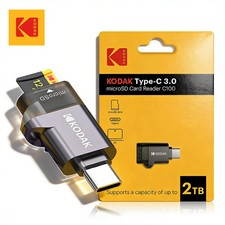
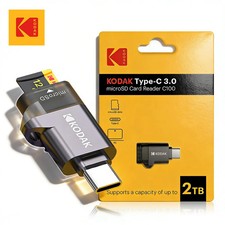
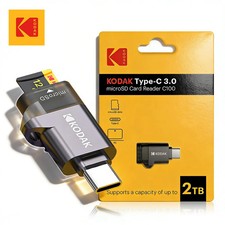
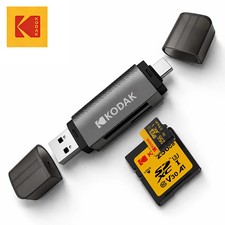
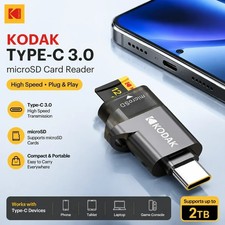
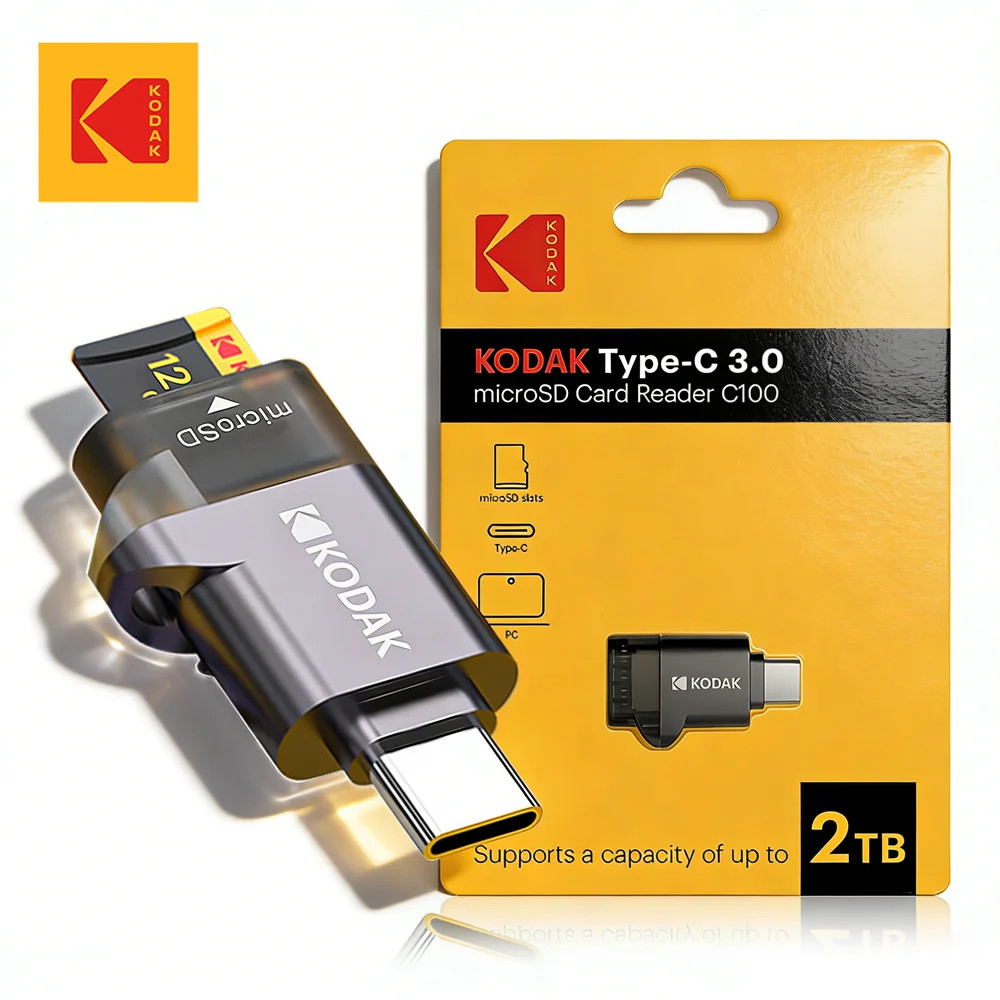
🌈 Kodak USB-C Micro SD Card Reader High Speed TF Adapter for iPhone MacBook Laptop,Kodak Type-C Micro SD Card Reader TF Memory Card High-speed Transmission Adapter✨ Introduction Quickly and conveniently access files stored on your Micro SD card with the Kodak C100 USB-C Micro SD Card Reader. Designed for modern USB-C smartphones, tablets, laptops, and computers, this compact external reader makes it easy to view, copy, transfer, organize, and back up compatible files without installing additional drivers. 📱💻📸 The reader supports TF cards, also known as Micro SD, Micro SDHC, and Micro SDXC cards. It is ideal for transferring photos, videos, music, documents, presentations, and other compatible files between a memory card and a supported USB-C device. 🚀🗂️🎵 Whether you are a photographer transferring images, a content creator managing video clips, a student moving documents, or a traveler backing up media, this portable card reader offers a practical solution for everyday file management. 🌍🎒✅ 🌟 Key Features⚡ Convenient High-Speed File Transfer Transfer compatible photos, videos, music, documents, and other files between your Micro SD card and USB-C device. Actual transfer speed depends on the memory card, host device, file size, operating system, and connection conditions. 📂➡️💻 🔌 Modern USB-C Interface Connect the reader directly to a compatible USB-C smartphone, tablet, laptop, or desktop computer. Its external design makes it convenient for devices without a built-in Micro SD card slot. 📱🔗💻 💾 Broad Micro SD Card Support Compatible with commonly used TF-format memory cards: 🧩 Plug-and-Play Operation No separate driver installation is normally required on supported operating systems. Simply insert a compatible memory card into the reader and connect the reader to your device. ✅🔌 🔋 No External Power Supply Required The reader receives power through the connected device, so no separate power adapter or battery is required during normal operation. 🔋🚫 🎒 Compact and Portable The lightweight, travel-friendly format is easy to keep in a laptop bag, camera case, backpack, desk drawer, or accessory organizer. It is a convenient tool for home, school, office, studio, and travel use. 👜📚✈️ 🛡️ CE Certified The product is listed with CE certification and contains no declared high-concern chemicals according to the supplied product specifications. ✅🌿 📋 Specifications Brand: Kodak Model Number: C100 Product Type: External TF/Micro SD Card Reader Interface: USB Type-C Card Slot: TF/Micro SD Compatible Card Types: Micro SD, Micro SDHC, and Micro SDXC Installation Type: External Driver Requirement: No separate driver normally required on supported systems External Power Requirement: None Certification: CE Declared High-Concern Chemicals: None Product Color/Option: Type-C Card Reader Packaging: Yes Country/Region of Origin: Mainland China Dimensions: Not specified by the manufacturer Weight: Not specified by the manufacturer
📏 Exact dimensions in inches/centimeters and weight in ounces/grams are not provided in the available manufacturer information. Product appearance and measurements may vary slightly by production batch. 💻 Operating System Compatibility The reader is designed for plug-and-play use with supported versions of: 🪟 Windows 11 🪟 Windows 10 🪟 Windows 8 🪟 Windows 7 🪟 Windows Vista 🍎 macOS / Mac OS X 10.2 or later 📱 iOS 13 or later on compatible USB-C support does not guarantee that every device, application, memory-card format, or file type will function identically. Compatibility may depend on the host device’s USB-C capabilities and software configuration. 📱 Compatible DevicesThe reader is intended for compatible USB-C devices, including many models from the following product families: Apple iPhone 15 series and later USB-C models Apple iPad mini 6 Apple iPad Pro with USB-C Apple MacBook Apple MacBook Air Apple MacBook Pro Dell XPS 13 Samsung Galaxy S23 series Samsung Galaxy S20 series Samsung Galaxy S10 series Samsung Galaxy Note20 series Samsung Galaxy Note10 series Google Pixel 4 XL Motorola Moto G8 Motorola Moto G7 Other compatible USB-C smartphones, tablets, laptops, and computers
⚠️ Compatibility Reminder: Device examples are provided as general references. Please verify that your specific model has a functional USB-C data port and, for smartphones or tablets, supports USB OTG before purchasing. 📦 Package Includes❌ Micro SD card, smartphone, tablet, laptop, computer, cables, and other accessories shown or referenced are not included unless explicitly stated by the seller. 🛠️ How to Use💾 Insert a compatible Micro SD, Micro SDHC, or Micro SDXC card into the reader’s TF card slot. 🔌 Connect the reader to the USB-C port of a compatible device. ⏳ Allow the device a few moments to recognize the connected memory card. 📂 Open the appropriate file-management application: 📸 View, copy, move, organize, or back up compatible files. ✅ Wait until all transfers are complete. ⏏️ Use the operating system’s eject or unmount option when available before disconnecting the reader.
🎯 Recommended Uses📸 PhotographyTransfer photos from a camera’s Micro SD card to a compatible smartphone, tablet, or computer for viewing, editing, organizing, and backup. 🎥 Video and Content CreationMove compatible video clips from action cameras, drones, security cameras, or other Micro SD-based devices to a computer or mobile device for editing and storage. 📚 School and UniversityCarry and access documents, presentations, study materials, project files, and other compatible educational content. 🏢 Office and BusinessTransfer reports, images, presentations, documents, and approved business files between compatible devices. 🎵 Personal MediaAccess compatible music, photos, and video files stored on a Micro SD card. ✈️ Travel and Mobile WorkBack up selected photos and videos while traveling without carrying a large desktop card reader. 🗄️ File Organization and BackupUse a compatible memory card as removable storage for organizing, transferring, or temporarily backing up important files. 💎 Benefits and Everyday Convenience🌟 Adds Micro SD card access to many devices without a built-in card slot ⚡ Helps simplify file transfers between memory cards and USB-C devices 🔌 Connects directly without a separate cable in normal use 🧩 Requires no additional driver installation on supported systems 🔋 Operates without a separate power supply 🎒 Compact design is convenient for travel and everyday carrying 💻 Useful with compatible computers, tablets, and smartphones 📸 Helpful for photographers, students, creators, and professionals 🗂️ Supports convenient file viewing, organization, transfer, and backup 🌍 Suitable for home, office, school, studio, and travel environments
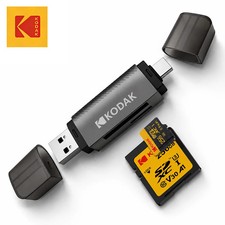
⚠️ Important Compatibility Information📲 USB OTG Is Required for Mobile DevicesCompatible USB-C smartphones and tablets must support USB OTG, also called USB On-The-Go, to detect and communicate with an external card reader. A USB-C port alone does not automatically guarantee OTG or external-storage compatibility. Please check your device specifications before purchasing. 🔍📱 💾 File-System RequirementsFor many Samsung, Google, and LG smartphones, the memory card should be formatted as: Formatting a memory card erases its stored data. Always back up important files before reformatting. 🛡️📂 🚀 UHS-II Speed LimitationThe reader can accept compatible UHS-II Micro SD cards; however, transfer performance is limited to the UHS-I standard capability. A UHS-II card will not operate at full UHS-II speed through this reader. 🔌 Connector UseIf the supplied version includes both USB-A and USB-C connectors, do not connect both plugs simultaneously. Use only one host connector at a time. Please confirm the physical connector configuration of the selected product option before ordering. 🍎 iPhone and iPad UsageA compatible USB-C iPhone or iPad may access supported files through the Files app. File visibility, importing behavior, and write access can vary according to the iOS/iPadOS version, card format, folder structure, file type, and application permissions. 🛑 Important PrecautionsDo not remove the memory card or reader while files are being transferred. ⚠️ Always wait until copying, saving, or moving operations are fully complete. Use the system’s eject or unmount option before removal when available. ⏏️ Insert the card gently and in the correct orientation. Never force the card or connector into a slot. Keep the reader dry and away from rain, spills, and excessive humidity. 💧🚫 Do not expose it to extreme heat, fire, or prolonged direct sunlight. 🔥 Keep the connectors clean and free from dust or debris. Do not bend, crush, drop, or disassemble the reader. Keep the product and memory cards away from small children. Back up important data before transferring or formatting a memory card. 🛡️ The seller and manufacturer cannot guarantee recovery of lost or corrupted data. Do not disconnect the reader during formatting, firmware updates, or active file operations. Use only compatible, properly functioning memory cards from reliable sources.
📊 Transfer Performance InformationActual reading and writing performance is not fixed and may vary according to: 📌 Small files may transfer more slowly than a single large file of the same total size. No specific maximum read or write speed should be assumed unless confirmed through manufacturer documentation for the exact production version. 🔧 Troubleshooting TipsThe Memory Card Does Not AppearConfirm that the card is fully inserted. Disconnect and reconnect the reader. Verify that the USB-C port supports data transfer. Confirm that OTG is enabled or supported on your mobile device. Restart the device if necessary. Test the card using another compatible reader or device. Check whether the card uses a supported file system. Inspect the card and reader for visible damage.
Files Cannot Be OpenedConfirm that your device supports the file type. Try opening the file with another compatible application. Check whether the file is damaged or incomplete. Verify that the memory card is functioning correctly.
Transfer Is Slower Than ExpectedCheck the card’s rated speed class. Remember that UHS-II cards are limited to UHS-I-level capability in this reader. Close unnecessary background applications. Transfer fewer files at a time. Confirm that the device has sufficient available storage. Test with another compatible USB-C port if available.
The Card Is Read-OnlyCheck operating-system and application permissions. Confirm that the card is not corrupted. Back up accessible files before attempting repair or reformatting. Try the card with another device to determine whether the issue comes from the card or reader.
❓ Frequently Asked QuestionsDoes it require a driver?No separate driver is normally required for supported Windows, macOS, and iOS systems. The device is designed for plug-and-play operation. 🧩✅ Does it need an external power adapter?No. It receives power from the connected host device during normal use. 🔋 Does it support full-size SD cards?No. This model is specified for TF/Micro SD cards. A full-size SD card will not fit directly into the TF card slot. 💾 Does it work with Micro SDXC cards?Yes, compatible Micro SDXC cards are supported, subject to the host device’s storage-capacity and file-system limitations. Can I use a UHS-II card?Yes, a compatible UHS-II card may be used, but transfer speed is limited to UHS-I standard capability. ⚡ Will it work with every USB-C phone?Not necessarily. The phone must support USB OTG and external storage. File-system compatibility and operating-system restrictions may also apply. 📱 Can I connect USB-A and USB-C simultaneously?No. If your selected version includes both connector types, only one connector should be used at a time. 🔌⚠️ Can it recover deleted files?No. This is a card reader and does not itself recover deleted, corrupted, or damaged files. Is a Micro SD card included?No memory card is included unless explicitly stated in the seller’s package details. 🏆 Why Buy This Kodak Micro SD Card Reader?🌈 Recognizable Kodak-branded accessory 🚀 Convenient access to Micro SD-based files 📱 Designed for compatible modern USB-C devices 💻 Works with supported smartphones, tablets, laptops, and computers ✅ Plug-and-play operation on supported systems 💾 Supports Micro SD, Micro SDHC, and Micro SDXC cards 🔋 No separate power supply required 🎒 Compact and easy to carry 📸 Excellent for photos, videos, documents, and everyday file transfers 🛡️ Clear compatibility and safe-use guidance 🌍 Practical for travel, work, school, home, and creative projects
🔑 Key Bullet Points🔌 USB-C interface for compatible phones, tablets, and computers 💾 TF/Micro SD card slot ✅ Supports Micro SD, Micro SDHC, and Micro SDXC ⚡ UHS-II cards supported at up to UHS-I standard capability 🧩 No separate driver normally required 🔋 No external power supply required 📱 USB OTG required for compatible smartphones and tablets 🪟 Compatible with supported Windows systems 🍎 Compatible with supported macOS and iOS USB-C devices 📂 Suitable for photos, videos, music, documents, and backups 🎒 Compact external design for portable everyday use 🛡️ CE-certified according to the supplied specifications
📢 Final Purchase ReminderBefore ordering, please confirm: Your device has a compatible USB-C data port. 🔌 Your smartphone or tablet supports USB OTG. 📱 Your memory card is Micro SD, Micro SDHC, or Micro SDXC. 💾 Your device supports the card’s capacity and file system. FAT32 or exFAT formatting is used when required. You understand that UHS-II cards are limited to UHS-I-level capability. The selected product option has the connector configuration you need.
✨ The Kodak C100 USB-C Micro SD Card Reader is a practical, portable solution for accessing and transferring files from compatible TF/Micro SD cards across supported USB-C devices. ✨

|
|