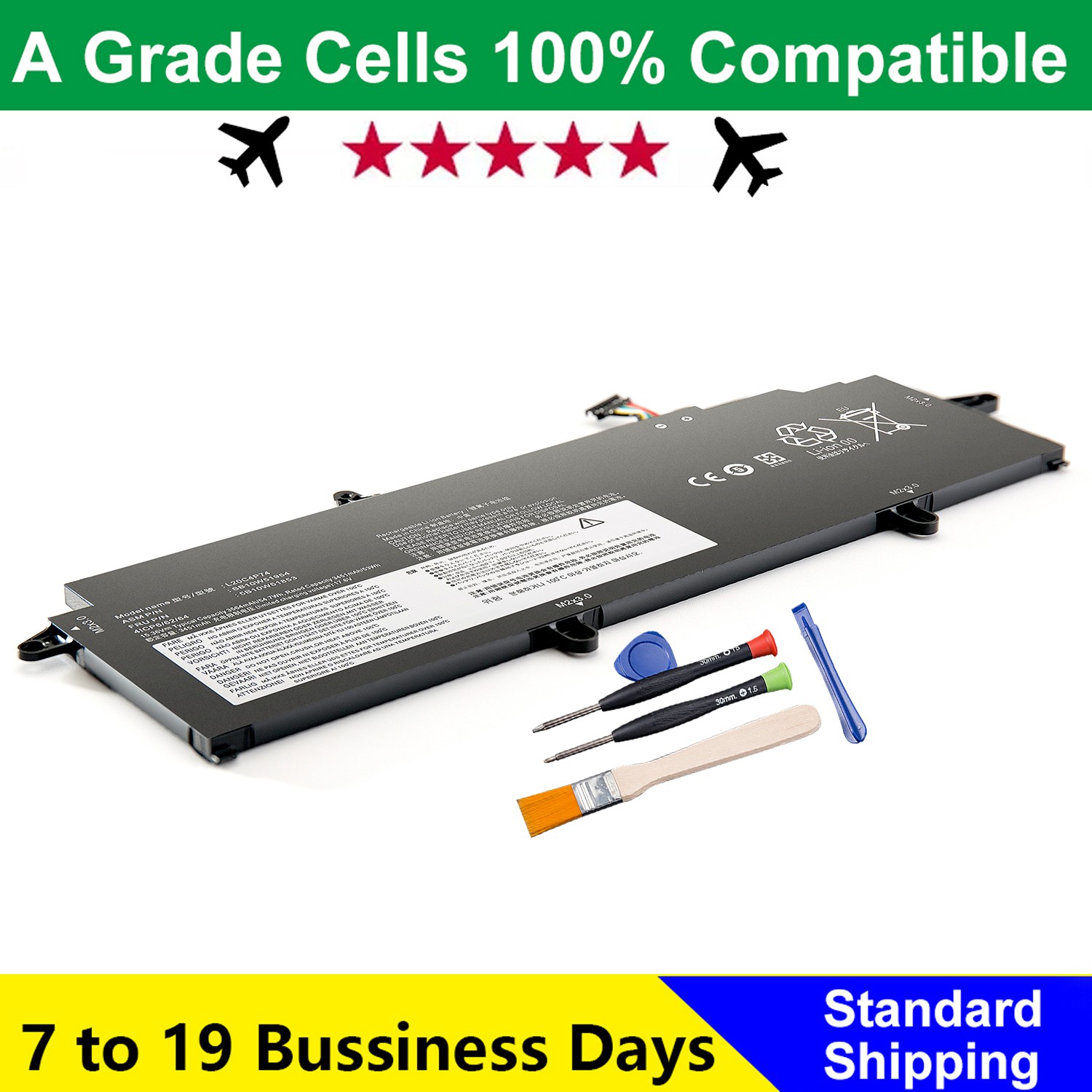
Specifications:Voltage: 15.36VCapacity: 54.7Wh/3564mAhBattery Type: Rechargeable Lithium-ion BatteryContion: 100% New from Manufacturer, Grade A Cell
Package included:
1* battery + 1* instruction manual + 1* screwdriver kit
Compatible Part Number:
L20L4P73 SB10W51953 5B10W51852 SB10W51918 5B10W51817L20M4P73 SB10W51954 5B10W51853 SB10W51919 5B10W51818L20C4P73 SB10W51955 5B10W51854 SB10W51920 5B10W51819L20D4P73 SB10W51956 5B10W51855 SB10W51921 5B10W51820L20C4P74 SB10W51922 5B10W51821 L20D4P74 SB10W51923 5B10W51822L20D3P72 SB10W51960 5B10W51859 SB10W51948 5B10W51825L20C3P72 SB10W51959 5B10W51858 SB10W51947 5B10W51824
Compatible with Laptop style="text-align:left;margin-bottom: 0px; font-family: Arial; font-size: 14pt; background-image: initial; background-position: initial; background-size: initial; background-repeat: initial; background-attachment: initial; background-origin: initial; background-clip: initial;">
For Lenovo ThinkPad X13 Gen 2 (Type 20WK, 20WL, 20XH, 20XJ) seriesFor Lenovo ThinkPad X13 Gen 3 (Type 21BN, 21BQ, 21CM, 21CN) series
Notice:
Check your original battery model. It's best to compare your original battery with ours.
Picking a battery only by laptop model can result in buying the wrong one.
Shipping information:
We usually dispatch your package within 48 hours after payment is received. The estimated shipping time is 10-23 business days.
Important Shipping Information:- Batteries purchased through this link will be shipped from China- Packages require international transit and customs clearance- These procedures significantly extend delivery times- We do not recommend purchasing if you need the item quickly
Order Confirmation Notice:
After placing your order, please double-check: ✓ **Shipping address** (complete and accurate) ✓ **Phone number** (active and correct)
Customer Service:Working Hours: Monday to Friday, 9:00 AM to 6:00 PM (China Standard Time, CST)Due to time zone differences, we may not be able to reply to your message immediately. Customer service typically responds within 24 hours.
What should I do if this battery is not recognized or cannot be charged?
After installing the battery, charge it for 5-8 hours.
A. First, verify whether the battery is the correct one.
B. Next, check if the battery is properly installed. Please make sure that the connector of the battery has been inserted into the system board correctly and tightly
C. It is recommended to update the BIOS settings
D. Reinstall and see(if it works)
Feel free to reach out to us for