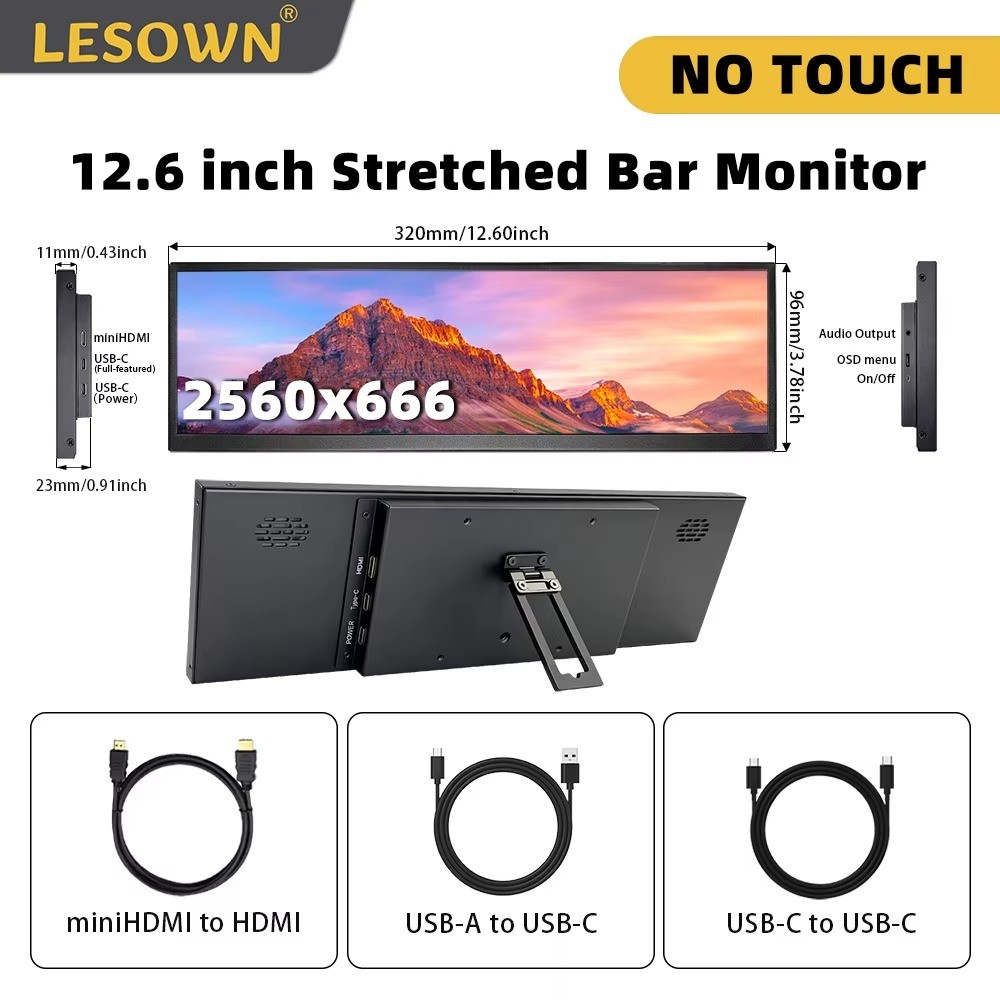
LESOWN Ultra Wide Stretched Bar Monitor
1920x480 IPS Secondary Screen, 8.8in or 12.6in, Touch or Non-Touch
📺 Key FeaturesUltra-Wide IPS Display
480x1920 high resolution IPS panel with 600cd/m² brightness, 800:1 contrast ratio, and 178° full viewing angle for vivid, uniform colors.
Plug & Play
No drivers needed on PC. Connect via mini HDMI (signal) and micro USB (power), ready to use instantly with Windows 7/8/10 and macOS.
Slim & Portable
Just 13.5mm thick with a metal housing. Removable back support, and compatible with a Raspberry Pi mount on the rear.
Multi-Touch Option
Touch variants support up to 5-point touch with a tempered glass cover. Touch requires the USB cable connected directly to a computer (not an external power source).
🛒 Choosing Your Option
- 8.8in NO Touch: 8.8 inch stretched bar monitor, display only, no touch function.
- 8.8in Touch: 8.8 inch stretched bar monitor with 5-point multi-touch and tempered glass.
- 12.6in NO Touch: 12.6 inch stretched bar monitor, display only, no touch function.
- 12.6in Touch: 12.6 inch stretched bar monitor with 5-point multi-touch and tempered glass.
All options include the monitor, mini HDMI cable, and micro USB cable. Touch function only works when the USB cable is connected directly to a computer, not through an external power adapter.
⚠️ Important Compatibility Notes
Connect the HDMI cable directly to your computer's graphics card HDMI port. Due to the unusual ultra-wide resolution, most docking stations and HDMI adapters do NOT support 480x1920 / 1920x480 output. Also compatible with Raspberry Pi 4/3/2/B/B+.
📋 SpecificationsModelP88-TPanel TypeIPS, Normally BlackResolution480 x 1920Brightness600cd/m²Contrast Ratio800:1Viewing Angle178° Full ViewRefresh Rate60HzResponse Time30ms (Typ.)Touch FunctionUp to 5-point touch (Touch variants only)Interface1x mini HDMI, 1x micro USBPower Inputmicro USB 5VCompatibilityWindows 7/8/10, macOS, Raspberry Pi 4/3/2/B/B+Thickness13.5mm🖼️ Product Images❓ FAQDo I need to install drivers?
No, this is a drive-free plug and play monitor for PC.
Can I use it with a USB-C or docking station adapter?
No, connect directly to your computer's HDMI port. Most adapters and docking stations do not support this ultra-wide resolution.
Why isn't touch working?
Touch requires the USB cable to be plugged directly into a computer. An external power supply will not enable touch.
Is it compatible with Raspberry Pi?
Yes, it supports Raspberry Pi 4/3/2/B/B+ with an optional back mount.