🔥 SAVE BIG ON LINUX MEGA PACKS 🔥
🛒 VISIT MY store LINK HERE 🛒
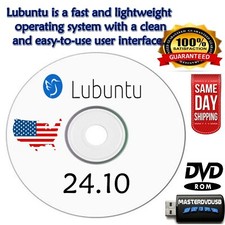
🟣LUBUNTU LINUX OS
▶️ PLUCKY PUFFIN LATEST
▶️ NOBLE NIMBAT LATEST
▶️ ORACULAR ORIOLE LATEST⭐️ The number 1 open source operating system powers millions of PCs and laptops around the world.⭐️Lubuntu is a complete Operating System that ships the essential apps and services for daily use: office applications, PDF reader, image editor, music and video players, etc.
✅ This bootable USB drive contains the latest released version of the amazingly fast and efficient Ubuntu "Noble Numbat" operating system for desktops and laptops or virtually any platform windows or apple macs.✅ With this bootable USB you can also run Ubuntu in live mode to try it, no installation needed.
✅ Ubuntu is famous for many built-in exciting software packages such as: LibreOffice, VLC media player, Firefox Web Browser, Chess, Thunderbird mail and many many more.✅ Perfect for beginners and non-technical computer users.
✅ Minimum Requirements: 4 GB RAM, Dual Core Processor (2 GHZ), 25 GB free disk space.
✅ Runs on Windows PCs, Apple Macs, Chromebooks.
❌ This Bootable USB will not work with 32 Bit systems.⭐️ How to Boot Linux OS from USB?✅ Steps for Windows PC & Chromebooks
Follow these easy steps:
- Turn-off your computer
- Insert the USB into any available USB port
- Switch on your computer
- Press the key that allows your computer to boot to an alternate device (ESC on many HPs, F12 on many Dells, F8 on many custom builds, yours may vary, see your computer's documentation)
- At the Book-up screen, select Boot from USB Interface option, press enter.
- Follow on-screen links for initiate OS.
- Wait for system to boot into LinuxOS.
- That's it! Enjoy!
✅Step for Apple Macs Devices
Follow these easy steps:
- Turn-off your computer
- Insert the USB into any available USB port
- Switch on your computer
- Press the Option keyon your keyboard to go the boot menu
- Select EFI Book
- Follow on-screen links for initiate OS.
- Wait for system to boot into Linux OS.
- That's it! Enjoy!