When you click on links to various merchants on this site and make a purchase, this can result in this site earning a commission. Affiliate programs and affiliations include, but are not limited to, the eBay Partner Network. When you click on links to various merchants on this site and make a purchase, this can result in this site earning a commission. Affiliate programs and affiliations include, but are not limited to, the eBay Partner Network.
Product description The video showcases the product in use.The video guides you through product setup.The video shows the product being unpacked. aplus content video Please check and confirm the compatible model numbers on the back of your ipad: A2898, A2899, A2900, A2436, A2437, A2764, A2766, A2378, A2379, A2461, A2462, A2069, A2229, A2232, A2233, A1876, A1895, A1983, A2014. -
Smooth Tap to Click Reliable Multi-touch Trackpad Improve the touchpad sensitivity smoothly in Settings -> General -> Trackpad -> Tap to click. -
Multifunctional "fn" Key iPadOS Shortcut Keys Full row of keys can be used to control volume, media and more with the combination of "fn" key. -
Rechargeable Battery Long-lasting Working Time Please note the ipad cann't charge the keyboard, the keyboard requires extra charging for use. -
Scissor-switch Structure Responsive Scissor-switch Keys Deliver a perfect tactile bounce every time and brings us a pretty comfortable typing experience. 1 Upgraded Trackpad 2 Shortcut Function 3 USB-C Charging 4 Comfortable Typing Slim & Lightweight Multiple Viewing Angles The adjustable viewing angle of up to 130° is perfect for reading, typing and watching. Laptop-like Keyboard, Browse and Type The floating magnetic wireless keyboard features large, comfortable keys that deliver the perfect bounce every time for fast and accurate typing. 130° of viewing angle ensures we have a good view whether we're taking notes, sending emails, watching videos, reading articles, etc. Continuous Working, Day and Night The backlit keys offer 3 levels of brightness that can be adapted to the room, so we can stay focused with the keys always legible and keep working late into the night. The brightness can be adjusted manually using the "light" key at the bottom of the keyboard. -
What should we do if the Bluetooth connection fails? 1. Delete the Bluetooth connection record on the iPad Pro and turn on Bluetooth again; 2. Press "fn+left shift+delete" keys to reset the keyboard to factory settings; 3. Please follow the user manual to reconnect. -
How to use shortcut keys? Press fn and number keys at the same time, for example: press "fn+1" to decrease the screen brightness of iPad. -
How to turn off the trackpad? Press "fn+spacebar" keys to turn on/off the trackpad function. -
Why is the touchpad not sensitive enough? It is recommended to set the trackpad as tap to click on the iPad Pro, the following steps are: Settings -> General -> Trackpad -> Tap to click. -
Does the wireless keyboard case have a system version requirement for iPad? Yes, please confirm your ipad system and update the version, the keyboard is compatible with iPadOS 14.5 or higher. - Compatible Models: Designed exclusively for iPad Pro 12.9" (6th/5th/4th/3rd Gen) and iPad Air 13" 2024 (M2). Models include 2024 Air 13 inch(A2898 , A2899, A2900),2022 12.9 inch Pro 6th Gen(A2436 ,A2437, A2764, A2766); 2021 12.9 inch Pro 5th Generation (A2378, A2379, A2461, A2462); 2020 12.9 inch Pro 4th Generation (A2229, A2069, A2232, A2233); 2018 12.9 inch Pro 3rd Generation (A1876, A2014, A1895, A1983). Note:Not fit for iPad Pro 13"(M4) 2024, We’re happy to help! Reach out to us if you need to check compatibility.
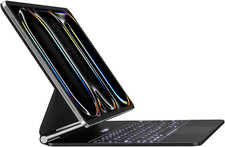
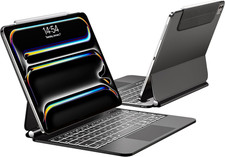
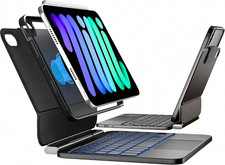
- Magnetic Floating Cantilever Design: iPad can be attached to the backpanel firmly and stably, transformed to a laptop-like tablet easily, 130° of viewing angle is great for reading and typing.
- Multi-touch Trackpad: Use the touch function to work and perform multi-touch gestures easily (like swipe, tap, pinch, scroll and switch apps). Lets you browse the web, build presentations, and edit documents at unparalleled speed.
- Rechargeable & 3-Level Backlit Keys: Comes with USB-C charging cable and adjustable 3-level backlights, supports continous work daily for 90 days or nightly for 2 weeks on a full charge, perfect for work, school, or creative projects.
- Full Protection & Auto Wake: Protect your iPad Pro 12.9 case with keyboard from drops and scratches. Simply open keyboard case to awake and connect via wireless Bluetooth technology—durable design for everyday use.
 |
|