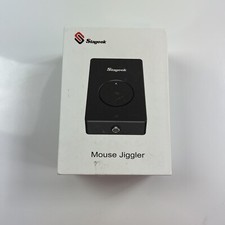
Stageek MM001 Mechanical Mouse Jiggler – USB Mouse Mover
KEEP YOUR COMPUTER ACTIVE WITHOUT CONSTANTLY MOVING YOUR MOUSE!
Tired of your computer going idle while you’re reading, reviewing documents, waiting for downloads, or working on other tasks?
The Stageek MM001 Mechanical Mouse Jiggler offers a simple, convenient solution. Its physical rotating platform simulates mouse movement to help prevent your computer from entering sleep mode due to inactivity.
No complicated setup. No software installation. Just connect, position your mouse, and switch it on!
WHY CHOOSE THE STAGEEK MOUSE JIGGLER?
✔ Helps Prevent Computer Sleep Mode
Keeps your optical mouse sensor moving, helping reduce unwanted interruptions caused by inactivity.
✔ 100% Mechanical Movement
Uses a physical moving platform rather than software installed on your computer.
✔ No Software or Drivers Required
Easy plug-and-play operation without installing applications or configuring complicated settings.
✔ Convenient On/Off Button
Easily activate or stop the device using the built-in front control button.
✔ Quiet, Compact Design
Designed for quiet operation with a small footprint that fits comfortably on most desks.
✔ USB Powered
Connect to a compatible 5V USB power source using the included USB cable.
✔ Broad Compatibility
Works with compatible optical mice used with Windows, macOS, and Linux computers.
IDEAL FOR EVERYDAY COMPUTER USE
* Remote work and home offices
* Long downloads and updates
* Reading digital documents
* Presentations and training sessions
* Desktop and laptop setups
* Tasks requiring extended periods of computer inactivity
PRODUCT SPECIFICATIONS
* Brand: Stageek
* Model: MM001
* Product Type: Mechanical Mouse Jiggler / Mouse Mover
* Color: Black
* Power: USB 5V
* Operation: Physical rotating platform
* Control: On/Off button
* Software Required: No
* Compatible Mouse Type: Optical
* Approximate Dimensions: 4.53 × 2.95 × 1.10 inches
PACKAGE CONTENTS
* 1 × Stageek Mechanical Mouse Jiggler
* 1 × USB Power Cable
* Original Retail Box
* Printed Instruction Insert
Computer mouse is not included.
HOW TO USE
1. Connect the device to a compatible USB power source.
2. Place your optical mouse over the circular moving platform.
3. Press the On/Off button to activate the device.
4. Adjust the mouse position if necessary for proper movement detection.
IMPORTANT INFORMATION
This device simulates physical mouse movement. Actual computer behavior depends on your mouse, system settings, and applicable device-management or security policies. It does not guarantee prevention of screen locking or detection by monitoring systems.
Please review the actual product photos for cosmetic condition, packaging, and included accessories.
A simple mechanical solution for convenient, hands-free mouse movement.