PLC Training Software Ladder Logic Learn to Program GX DEV Migro Course Lesson For Sale
When you click on links to various merchants on this site and make a purchase, this can result in this site earning a commission. Affiliate programs and affiliations include, but are not limited to, the eBay Partner Network.
PLC Training Software Ladder Logic Learn to Program GX DEV Migro Course Lesson
Price: US $29.77
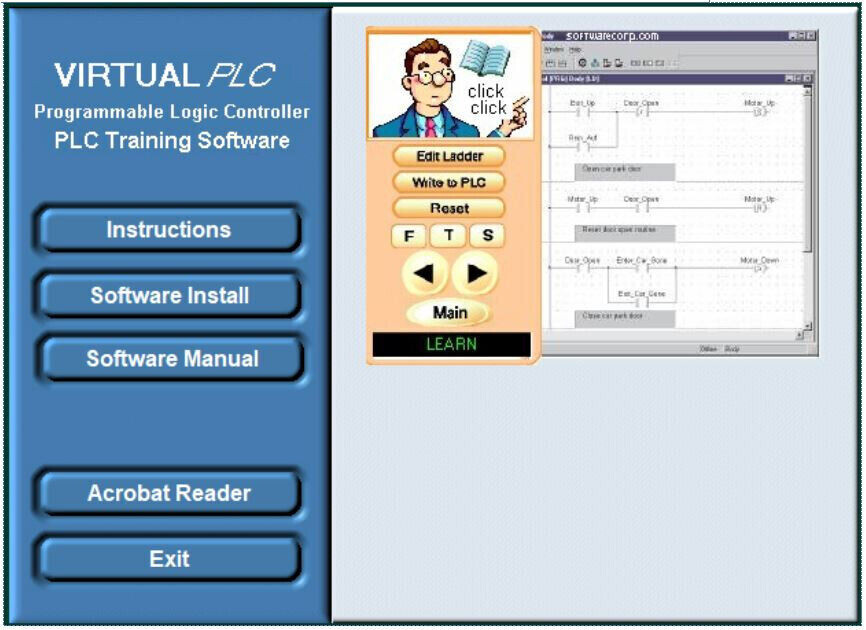
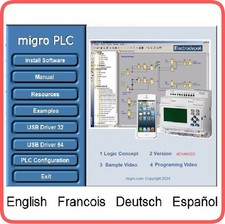
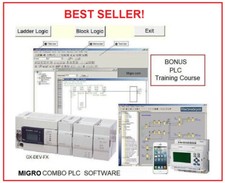
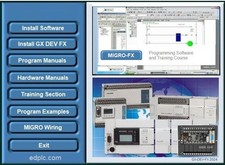
Virtual PLC Basic and Advance ExamplesElectronic format Included: Training, Operating, and Software Manuals.IntroductionComplete Course Step by Step with programming lessons Easy learning lessons applicable to any Ladder Logic PLC hardware environmentGraphic Programming and Simulation, Evaluation at every lessonTable of ContentsLESSON 1 – Introduction and Overview1.1 Course Objectives 11.2 Course Prerequisites 11.3 Course 11.4 Course Description 21.5 Product Line 3LESSON 2 – FX-Series Hardware Review2.1 What is a dedicated PLC? 52.2 FX Line of 62.3 Hardware Components 82.4 102.5 Outputs Special Function 142.7 High Speed Counter & Positioning 152.8 Communication Modules and Option 172.9 Network Modules & Option 192.10 Miscellaneous 212.11 Power 212.12 Exercise – Power Supply Calculation 292.13 Memory Types 30LESSON 3 – Programming Equipment3.1 Hand-Held Programming Units 333.2 Programming Software 333.3 GX-Developer Overview File Format Hardware 37LESSON 4 – Number Systems4.1 Binary Numbers 394.2 Hexadecimal 404.3 Octal 414.4 Binary Coded Decimal 424.5 Exercise – Number Systems 43LESSON 5 – Numeric Data in PLCs5.1 Integer (16/32 Bit) 455.2 Decimal (16/23 Bit) 47LESSON 6 – System Devices6. System Devices 49LESSON 7 – Addressing7.1 Right Side Bus Rules of Addressing 537.2 FX3U Left Side Bus Addressing 537.3 557.4 Exercise – PLC Addressing 56LESSON 8 – Demo Kit Layout8.1 558.2 Indicator Lights 568.3 Operator 56LESSON 9 – PLC Instruction Types9.1 Basic 599.2 STL (Step Ladder) Instructions 599.3 Applied Instructions 59LESSON 10 – Basic Instructions10.1 Symbols 6110.2 Ladder Basics 6210.3 Common Instructions 6310.4 Exercise – Ladder Basics 65LESSON 11 – Develop and Edit Programs11.1 Launching 6711.2 Creating a New Project 6811.3 Editing the 6911.4 Program 7011.5 Online Editing 7111.6 Monitor the Program Operation 7211.7 Forcing Bits and Changing Registers 7311.8 Exercise – Contacts and Coils 73LESSON 12 – Timers and Counters12.1 7512.2 Counters 7612.3 Program Examples 7912.4 Additional Timer 8112.5 Exercise – Timers and 8212.6 Exercise – Conveyor Control 82LESSON 13 – Applied Instructions13.1 General Data Transfer 8413.3 Comparison Instructions 8513.4 Exercise – Parking Lot 8813.5 Exercise – Conveyor Control Part 8813.6 Conversion Instructions 8813.7 Increment and Decrement Instructions 8913.8 Exercise – INC and DEC 8913.9 Arithmetic 8913.10 Exercise – Binary 9013.11 Exercise – Parking Lot Part 2 9013.12 Exercise – Conveyor Control Part 9013.13 High-Speed Processing 9013.14 TO/FROM Instructions 9213.15 Exercise – FX2N-5A Module Access 9313.16 Shift Registers 9313.17 Exercise – Bit Shift Register 9413.18 Program Flow Control 95LESSON 14 – Diagnostic Devices14.1 Special M Relays Special D Registers Handy Troubleshooting 9814.4 Real Time Clock Usage 9914.5 Exercise – Daylight Savings Time 10014.6 GX-Developer 10114.7 Find/Replace 10214.8 Data 107LESSON 15 – Documentation 15.1 109 INTERNATIONAL SHIPPING by Global Shipping Program only
FX-DEV GX-DEV and MELSEC are trademarks of MitsubishiElectric Corporation