Q4OS Linux OSfor i686, AMD64 BIT USB & DVD LIVE/INSTALL
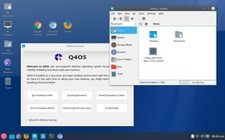
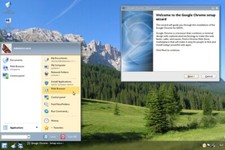
ALL VERSIONS: 64-BIT & GEMINI-TRINITY-LIVEAQUARIUS-PLASMA-FULL INSTALL,AQUARIUS-TRINITY-FULL INSTALL,GEMINI-PLASMA-FULL INSTALL, GEMINI-TRINITY-FULL INSTALLFast and friendly, desktop oriented operating system based on Debian Linux. Providing a set of dedicated utilities and specific optimizations, combined with a focus on getting a productive system easily. This makes it ideal for people who want to get a working environment tailored to individual needs and preferences. From this perspective, Q4OS is suitable for both newcomers as well as experienced computer users.
Why Choose Q4OS Linux OS?
Lightweight and Fast:Designed to run efficiently on older hardware with minimal system requirements.Versatile Compatibility: Supports both 32-bit and 64-bit systems, making it ideal for a wide range of computers.User-Friendly: Easy to install and use, with a variety of desktop environments to choose from.Community-Driven: Backed by a strong community of developers and users, ensuring regular updates and support.Key Features:
Live/Install DVD:Try without installing it in live mode, or go straight to installation.
Minimal System Requirements:You can download either a lightweight efficient Trinity desktop, or more advanced Plasma desktop edition. Live media allow users to get a quick Q4OS experience, or try it out on a real hardware without installation. If satisfied, an optional installer is available. Use the install-cd media for older 64bit as well as 32bit machines.
The minimal hardware requirements:
Plasma desktop - 1GHz CPU / 1GB RAM / 5GB disk
Trinity desktop - 350MHz CPU / 256MB RAM / 3GB diskShipping & Warranty:
Same-Day Shipping:Orders placed before 12 PM EST are shipped the same business day.
30-Day Money-Back Warranty:If you’re not satisfied, return it within 30 days for a full refund.
Free Support:Our dedicated support team is available 7 days a week to assist you with any questions or issues.
☑️ HOW TO BOOT LINUX OS FROM USB OR DVD?
✅STEPS FOR WINDOWS PC & CHROMEBOOKS
1. Turn-off your computer
2. Insert the USB/DVD into any available USB port/DVD drive.
3. Switch on your computer
4. Press the key that allows your computer to boot to an alternate device (ESC on many HPs, F12 on many Dells, F8 on many custom builds, yours may vary, see your computer's documentation)
5. At the Book-up screen, select Boot from USB Interface or Boot from DVD option, press enter.
6. Wait for OS to load, then follow on-screen links for initiate OS.
7. Wait for system to boot into Linux OS. Done! Enjoy!
✅STEP FOR APPLE MACS DEVICES
1. Turn-off your computer
2. Insert the USB into any available USB port
3. Switch on your computer
4. Press the Option keyon your keyboard to go the boot menu
5. Select EFI Book
6. Follow on-screen links for initiate OS.
7. Wait for system to boot into Linux OS. Done! Enjoy!