DevPurple - Ultimate LibreCAD Pack DEVPURPLE
Premium Software Collections
ULTIMATE LIBRECAD PACK
Open Source 2D CAD drafting for Windows, Mac and Linux, supplied on USB Drive or DVD, with the current stable release, both Mac architectures, the Linux builds, the source code and the official manual
Turn your computer into a 2D drafting workstation with the Ultimate LibreCAD Pack. LibreCAD draws the plans and schematics people use for architecture, mechanical work, engineering layouts and floor plans, and for the flat shapes that get cut, routed or printed by machine. This pack carries the current stable release, 2.2.1.5, for 64 bit and 32 bit Windows, for Apple Silicon and Intel Macs, and for Linux on Intel, AMD and ARM.
Everything on the media is the release the LibreCAD project published itself, taken from its own GitHub releases and its own documentation site, with the project's own file names kept. The complete source code for the release is on the media as well, and so is the project's official user manual. No product key, no activation, no subscription, no expiry, and no limit on how many computers you install it on.
What Is On The Media
Most LibreCAD discs carry one Windows installer and one Mac disk image of version 2.2.1.4. The current stable release has already moved past that version, and the project publishes more builds than those listings carry. This pack has all of them except the Linux Snap package.
- Windows, 64 bit: the official LibreCAD 2.2.1.5 installer, the current stable release.
- Windows, 32 bit: the same release as a separate installer built for 32 bit Windows, which also runs on 64 bit Windows.
- Apple Silicon Macs: a native disk image for the M1 chip and later, needing macOS 11 Big Sur or newer.
- Intel Macs: a separate native disk image, needing macOS 10.13 High Sierra or newer.
- Linux on Intel or AMD: the official AppImage for 64 bit x86 systems.
- Linux on ARM: the official AppImage for 64 bit ARM boards such as the Raspberry Pi 4 and 5.
- The complete source code for this release, from the project's own repository, which is what the GNU General Public License requires a distributor to make available.
- The official user manual as a PDF and as an EPUB.
What You Can Do With It
- Draw in 2D: Lines, polylines, splines, circles, ellipses, arcs, points and rays, on as many layers as you need.
- Edit precisely: Move, rotate, mirror, scale, offset, trim, extend, fillet, divide and duplicate, with exact coordinate entry from the command line.
- Snap to what matters: Endpoints, midpoints, centers, intersections, grid and polar positions, so points land exactly where you intend.
- Dimension and annotate: Linear, aligned, radius, diameter and leader dimensions, plus plain text and multi-line text.
- Hatch areas: Fill regions with hatch patterns, driven by layer properties where you want that.
- Reuse blocks: Create blocks, insert them, and draw on a parts library of over a thousand drawings covering electrical symbols, mechanical parts, machine elements, floor plans and templates.
- Print and export: Print to a chosen scale, and export to SVG, PDF, PNG and bitmap formats.
- Type commands: A command line sits alongside the toolbars for the actions you use most often.
- Work in your own language: The interface is translated into over 30 languages.
Which File To Use
- Please read this, because there are six builds on the media and you need one of them. The Read Me in the pack lists every file with the machine it is for.
- 64 bit Windows: use LibreCAD-v2.2.1.5-win64-msvc.exe. To check, open Settings, then System, then About, and read System type.
- 32 bit Windows: use LibreCAD-v2.2.1.5-msvc.exe, which also runs on 64 bit Windows.
- Apple Silicon Mac, M1 and later: use LibreCAD-v2.2.1.5-arm64.dmg, needing macOS 11 Big Sur or newer.
- Intel Mac: use LibreCAD-v2.2.1.5.dmg, needing macOS 10.13 High Sierra or newer.
- Linux on Intel or AMD: use LibreCAD-v2.2.1.5-x86_64.AppImage.
- Linux on a Raspberry Pi 4 or 5, or another 64 bit ARM board: use
- To check which Mac you have: open the Apple menu, then About This Mac. A Chip line means Apple Silicon, and a Processor line means Intel.
The Manual And The Documentation
- The official user manual is on the media as LibreCAD-User-Manual.pdf, readable on any computer, and as LibreCAD-User-Manual.epub for e-readers and reading apps.
- The manual is published by the LibreCAD project at docs.librecad.org, and it is included exactly as the project publishes it.
- The developer describes the manual as a work in progress that may not cover every change in the latest build. That is stated here rather than left for you to discover.
- The wiki is online at dokuwiki.librecad.org, alongside the community forum at discourse.librecad.org. Both are linked in the Read Me in the pack.
System Requirements
- Windows: Windows 7 or newer. The media carries both a 64 bit and a 32 bit installer.
- Mac, Apple Silicon: macOS 11 Big Sur or newer, on an M-series chip.
- Mac, Intel: macOS 10.13 High Sierra or newer. These are the floors recorded inside each build itself.
- Linux: a modern 64 bit distribution on Intel or AMD, or a 64 bit ARM board with a desktop environment.
- Disk space: around 400 MB for the installed application.
- Internet: not needed. LibreCAD installs and runs entirely offline, with no account, no cloud requirement and no activation.
What's Included
- One Physical Media: Your choice of a Premium USB Drive or DVD, pre-loaded with the complete pack
- Current Stable Release, Windows: The official LibreCAD 2.2.1.5 installer for 64 bit Windows, and the official installer for 32 bit Windows
- Current Stable Release, Mac: The official LibreCAD 2.2.1.5 disk image for Apple Silicon Macs, and the separate official disk image for Intel Macs
- Current Stable Release, Linux: The official LibreCAD 2.2.1.5 AppImage for Intel and AMD, and the official AppImage for 64 bit ARM
- The Complete Source Code: The full source for the release on the media, from the project's own repository
- The Official User Manual: The developer manual as a PDF and as an EPUB
- Step By Step Setup Notes: A Read Me listing every file, which one to use for your machine, and what to expect the first time it runs
Shipping & Delivery
- Fast Processing: Orders typically ship within 1-2 business days
- Tracked Shipping: Delivery confirmation included on all orders
- Secure Packaging: Your disc or drive arrives protected and ready to use
- Worldwide Shipping Available: Check listing for rates and estimated delivery times
Satisfaction Guarantee
If there is an issue with your order, contact us and we will make it right (including replacements for defective media).
Why Buy From Dev Purple? Both Mac Architectures, Natively
A native Apple Silicon build and a separate native Intel build, each carrying the minimum macOS its own build records. Not one disk image asked to cover both.
Six Builds Across Three Platforms
64 bit Windows, 32 bit Windows, Apple Silicon Mac, Intel Mac, Linux on Intel or AMD, and Linux on ARM.
The Source Code Included
The complete source for the release on the media, which is what the GNU General Public License requires a distributor to make available.
The Official Manual Included
The developer's own user manual, as a PDF for any computer and as an EPUB for e-readers.
Dedicated Support
Contact us with any questions before or after your purchase. We are here to help.
Compliance
This listing complies with 's software policy. This is a lawful compilation of redistributable software. No paid, commercial, or copyrighted software is included. Every program fits one of these categories:
- GPL / LGPL / MPL licensed: These open-source licenses explicitly grant anyone the right to copy, distribute, and redistribute the software in any medium, provided the license terms are preserved. This is a core feature of copyleft licensing. LibreCAD is released under the GNU General Public License version 2, as its own license file states, and the source code for the release is included on this media.
- Apache / MIT / BSD licensed: These permissive open-source licenses grant unlimited reproduction and distribution rights, with minimal attribution requirements which are met here.
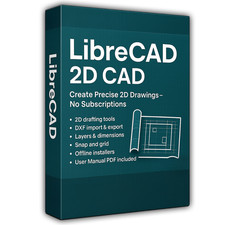
LibreCAD is the project's own name for its program, used here to refer to LibreCAD itself. This pack is an independent compilation and is not endorsed by or affiliated with the LibreCAD project. The software box shown in any product images is a display image only and is not included. You receive the media only.
The LibreCAD project publishes its own releases, and it states on its own website that LibreCAD is open source. That is accurate, and we do not claim to be licensed by the project. What is sold here is the physical media, the work of collecting and checking the releases, the documentation and setup notes that come with it, and the support that goes with the purchase. The developer publishes the software itself, and the license named above places no restriction on how you use it.
's Verified Rights Owner (VeRO) program targets listings that infringe intellectual property. This listing does not fall into that category because the license already authorizes the copying and redistribution being done here. Buyers receive only the rights the program's original license grants.
Frequently Asked Questions
How is this item delivered?
This is a physical item (USB drive or DVD) that will be shipped to you. Choose your format when you order.
Which file do I install?
64 bit Windows: the win64 installer. 32 bit Windows: the other Windows installer, which also runs on 64 bit Windows. Apple Silicon Mac: the arm64 disk image, macOS 11 Big Sur or newer. Intel Mac: the other disk image, macOS 10.13 High Sierra or newer. Linux: the AppImage for your processor. The Read Me in the pack lists every file and the machine it is for.
Does this software need a product key or activation?
No. LibreCAD is open source software released under the license named on this listing, so there is no product key, no activation step, no registration, and no account. Install it and start drawing.
What version is this?
This media carries 2.2.1.5, the current stable release, for 64 bit and 32 bit Windows, Apple Silicon and Intel Macs, and Linux, plus the complete source code and the official user manual.
Can LibreCAD open my AutoCAD drawings?
It can open DXF files fully, and it can open DWG files in part. The LibreCAD project describes its DWG support as partial and importing only. Work saved from LibreCAD goes out as DXF, SVG, PDF or an image format.
Will it work on an older Mac?
The Intel disk image on this media records macOS 10.13 High Sierra as its minimum, and it runs on both Intel and Apple Silicon Macs through Rosetta where that is available. The Apple Silicon disk image records macOS 11 Big Sur as its minimum.
Will it work on Windows 7?
The Windows builds on this media are made with the Qt 5.15 framework and carry the Microsoft Visual C++ runtime, and both of those list Windows 7 and newer as supported. The media carries a 64 bit and a 32 bit installer for those systems.
Do I need to copy the media to my computer first?
The USB version can be used directly from the drive. For DVD orders, copy the pack folder to your computer (for example your Desktop) first for best performance, then run the installer from there.
Important Notes
- This is a PHYSICAL ITEM (USB DRIVE OR DVD) that will be shipped to you. Choose your format when you order.
- Both Mac architectures are included as separate native disk images: Apple Silicon needs macOS 11 Big Sur or newer, and the Intel build needs macOS 10.13 High Sierra or newer.
- DWG support is partial and importing only. DXF reads and writes, and work saved from LibreCAD goes out as DXF, SVG, PDF or an image.
- The software box shown in the images is a display image only and is not included. You receive the media only.
- Contact us with any questions before or after your purchase.
Thanks for Shopping with DevPurple!
Your premium software collection is here.
© 2026 DevPurple. All rights reserved.