Description 7inch DSI Capacitive Touch Display, 720×1280 Pixels, IPS Panel, Optical Bonding Toughened Glass Panel, 10-Point Touch, Anti-Fingerprint Process, With Case(Optional) 7″ DSI Capacitive Touch Display
- Size7″
- Resolution720×1280
- Display InterfaceDSI
- Display PanelIPS
- Viewing Angle170°
- Touch TypeCapacitive
- Touch Points10-Point
- Touch PanelToughened Glass
- Touch Panel TechOptical Bonding
- Panel CoatingAF
- Touch InterfaceI2C
- Brightness450cd/㎡
- BackplateAll-metal backplate
- Enclosure(optional)ABS
The display orientation is portrait by default, 720×1280 resolution (H×V). Change the software config for landscape display.
Version Options
7-DSI-TOUCH-A
Standard version
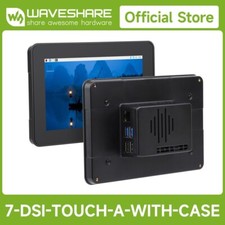
7-DSI-TOUCH-A-WITH-CASE
with protective black case
(suitable for Raspberry Pi 5 only)
7-DSI-TOUCH-A-WITH-CASE-B
with protective white case
(suitable for Raspberry Pi 5 only)
Device & System Support
Raspberry Pi Supports Raspberry Pi OS, 10-point touch
ESP32-P4 Supports LVGL GUI programs, up to 10-point touch
RK3506 Supports Buildroot / Ubuntu, etc. 10-point touch
RK3576 Supports Buildroot / Debian / Ubuntu / Android, etc. 10-point touch
* (the case supports Raspberry Pi 5 only, due to connector layout)
connection examples
Working with Raspberry Pi 5
Please connect the FPC cable as shown above, and power the LCD through the GPIO 5V pin
with protective case (suitable for Raspberry Pi 5 only)
Working with Raspberry Pi 4B
Please connect the DSI cable as shown above, and power the LCD through the GPIO 5V pin
Working with ESP32-P4-NANO
Working with Luckfox Lyra
Working with Luckfox Omni3576
* for reference only, the above controller boards or hosts are NOT included
IPS Display Panel
Excellent Display Performance With 170° Wide Viewing Angle
10-Point Capacitive Touch
- up to 10-point touch, depending on the operating system
- up to 6H hardness toughened glass panel
- Optical bonding, provides clear image, dustproof
- Adopts anti-fingerprint panel coating, easy to clean
Supports backlight adjustment via software
Thinner and more space-saving
Integrates the driver circuit into an FPC cable, the total thickness of the LCD is only 9.3mm
interface definition
with protective case
How to install
First, fix the silicone button cap inside the case as picture below, and then use the PM2.5 * 4mm black metal screws to secure the case and screen
* for reference only, the Raspberry Pi is NOT included
outline dimensions
Standard version
the protective case
Support touch screen customization
Support the following ways to customize the touch screen display in bulk order
Over a decade
Waveshare grows with display
* Waveshare has been focusing on display design for over 10 years.
Resources & Services
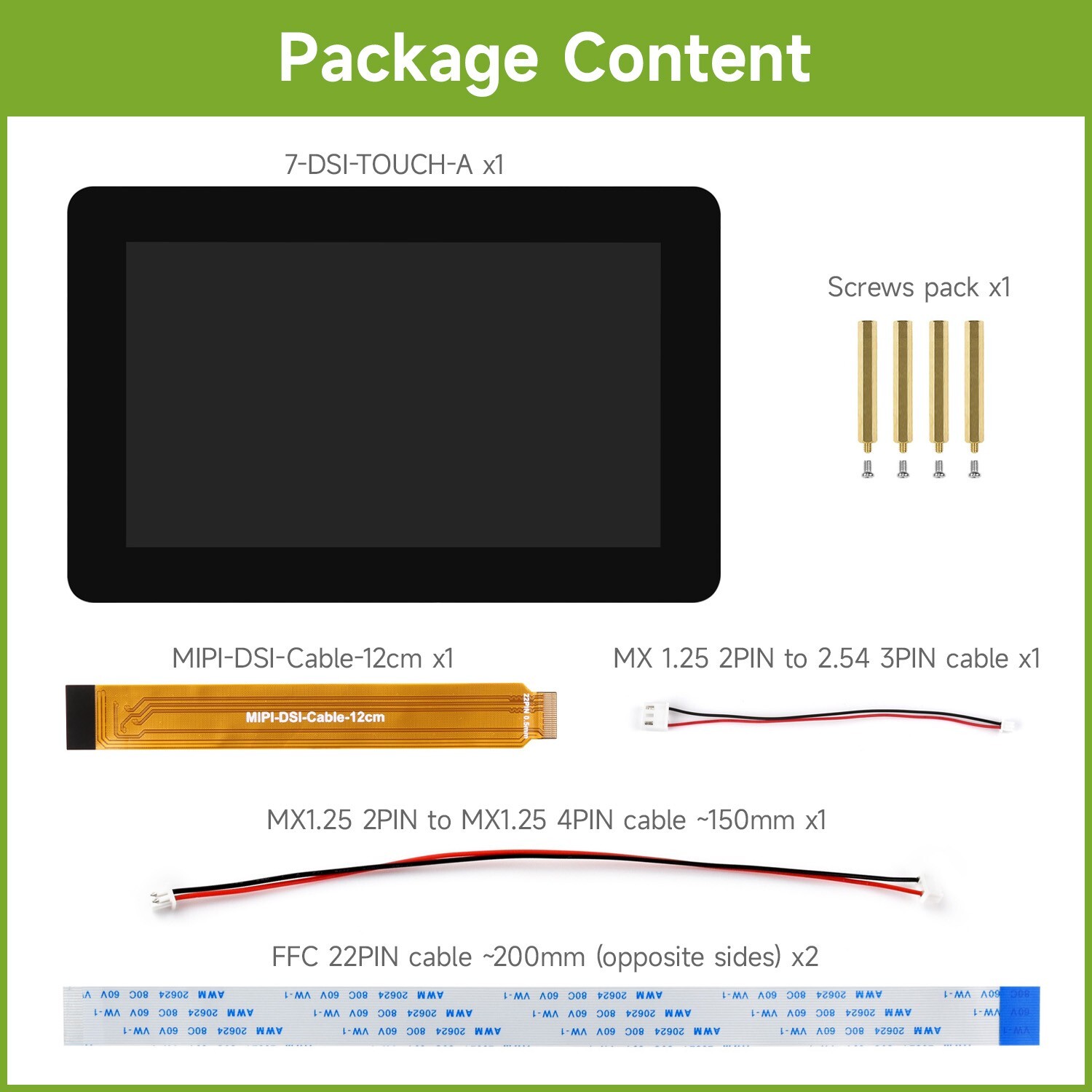
Package Content
Weight:0.346 kg
7-DSI-TOUCH-A
- 7-DSI-TOUCH-A x1
- MIPI-DSI-Cable-12cm x1
- MX 1.25 2PIN to 2.54 3PIN cable x1
- FFC 22PIN cable ~200mm (opposite sides) x2
- MX1.25 2PIN to MX1.25 4PIN cable ~150mm x1
- Standoffs x1
1 2 3 4 5 6 7-DSI-TOUCH-A-WITH-CASE
- 7-DSI-TOUCH-A x1
- PI5-CASE-TD2 (black) x1
- MIPI-DSI-Cable-12cm x1
- MX 1.25 2PIN to 2.54 3PIN cable x1
- FFC 22PIN cable ~200mm (opposite sides) x2
- MX1.25 2PIN to MX1.25 4PIN cable ~150mm x1
- Silicon button cap × 1
- Standoffs x1
- Screws pack x1
1 2 3 4 5 6 7 8 9 7-DSI-TOUCH-A-WITH-CASE-B
- 7-DSI-TOUCH-A x1
- PI5-CASE-TD2-B (white) x1
- MIPI-DSI-Cable-12cm x1
- MX 1.25 2PIN to 2.54 3PIN cable x1
- FFC 22PIN cable ~200mm (opposite sides) x2
- MX1.25 2PIN to MX1.25 4PIN cable ~150mm x1
- Silicon button cap × 1
- Standoffs x1
- Screws pack x1
1 2 3 4 5 6 7 8 9